> ## Documentation Index
> Fetch the complete documentation index at: https://docs.langtrace.ai/llms.txt
> Use this file to discover all available pages before exploring further.
# Introduction
> Welcome to the Langtrace AI documentation
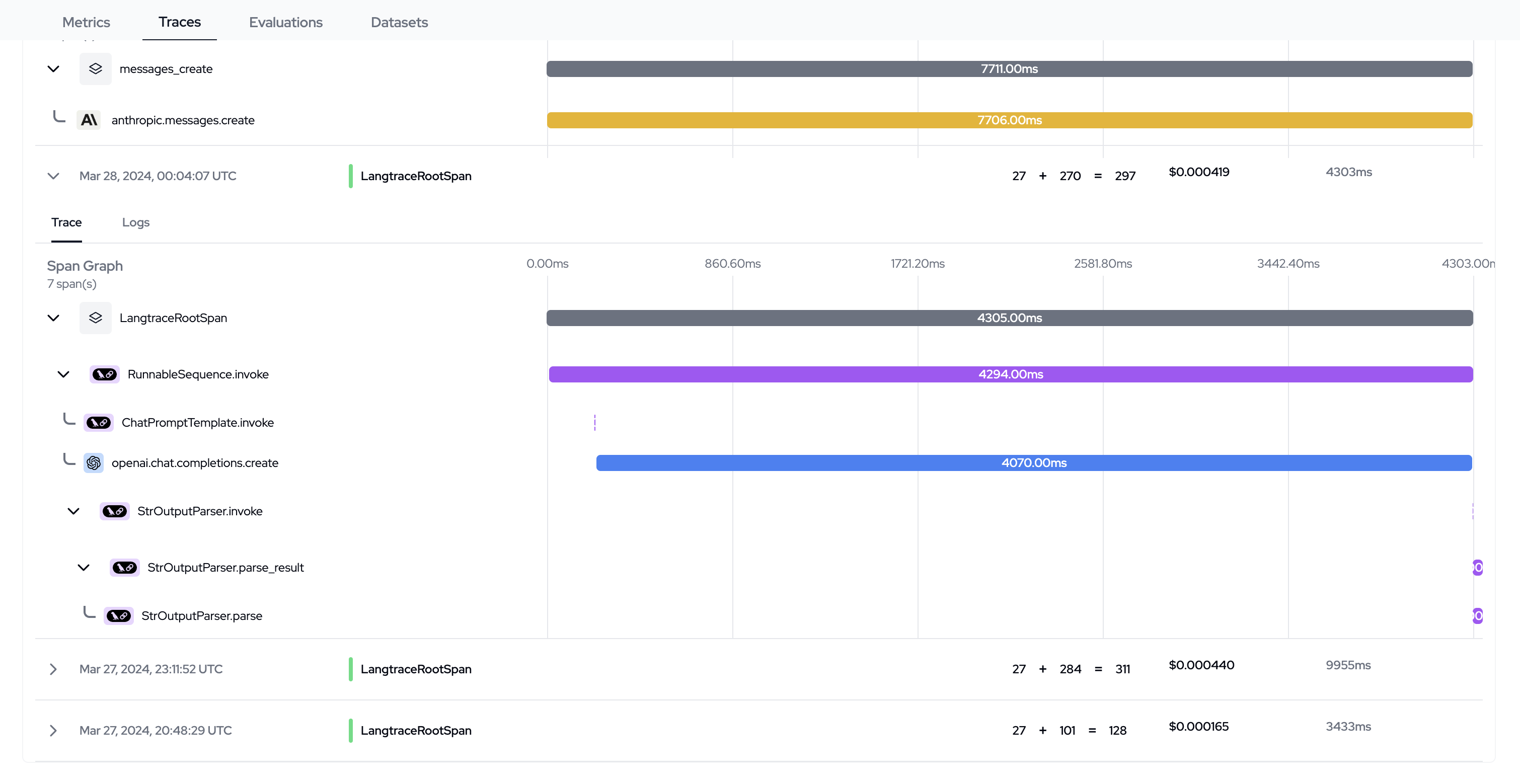
[Langtrace](https://langtrace.ai/) is an open-source observability tool that collects and analyze traces in order to help you improve your LLM apps. Langtrace has two components:
* **SDK**: The SDK is a lightweight library that can be installed and imported into your project in order to collect traces. The [traces](https://opentelemetry.io/docs/concepts/signals/traces/) are [open telemetry](https://opentelemetry.io/) based and can be exported to Langtrace or any other observability stack (Grafana, Datadog, Honeycomb etc) without having to use a Langtrace API key.
**GitHub**: [`Python SDK`](https://github.com/Scale3-Labs/langtrace-python-sdk)
[`Typescript SDK`](https://github.com/Scale3-Labs/langtrace-typescript-sdk) [`trace-attributes`](https://github.com/Scale3-Labs/langtrace-trace-attributes)
* **Langtrace Dashboard**: The dashboard is a web-based interface where you can view and analyze your traces.
**GitHub**: [`Langtrace`](https://github.com/Scale3-Labs/langtrace)
**[OpenTelemetry](https://opentelemetry.io/)**: The traces generated by
Langtrace are based on the OpenTelemetry standard. This means that you can use
Langtrace with your existing observability stack (No Langtrace API key
required.), or export the traces to Langtrace.
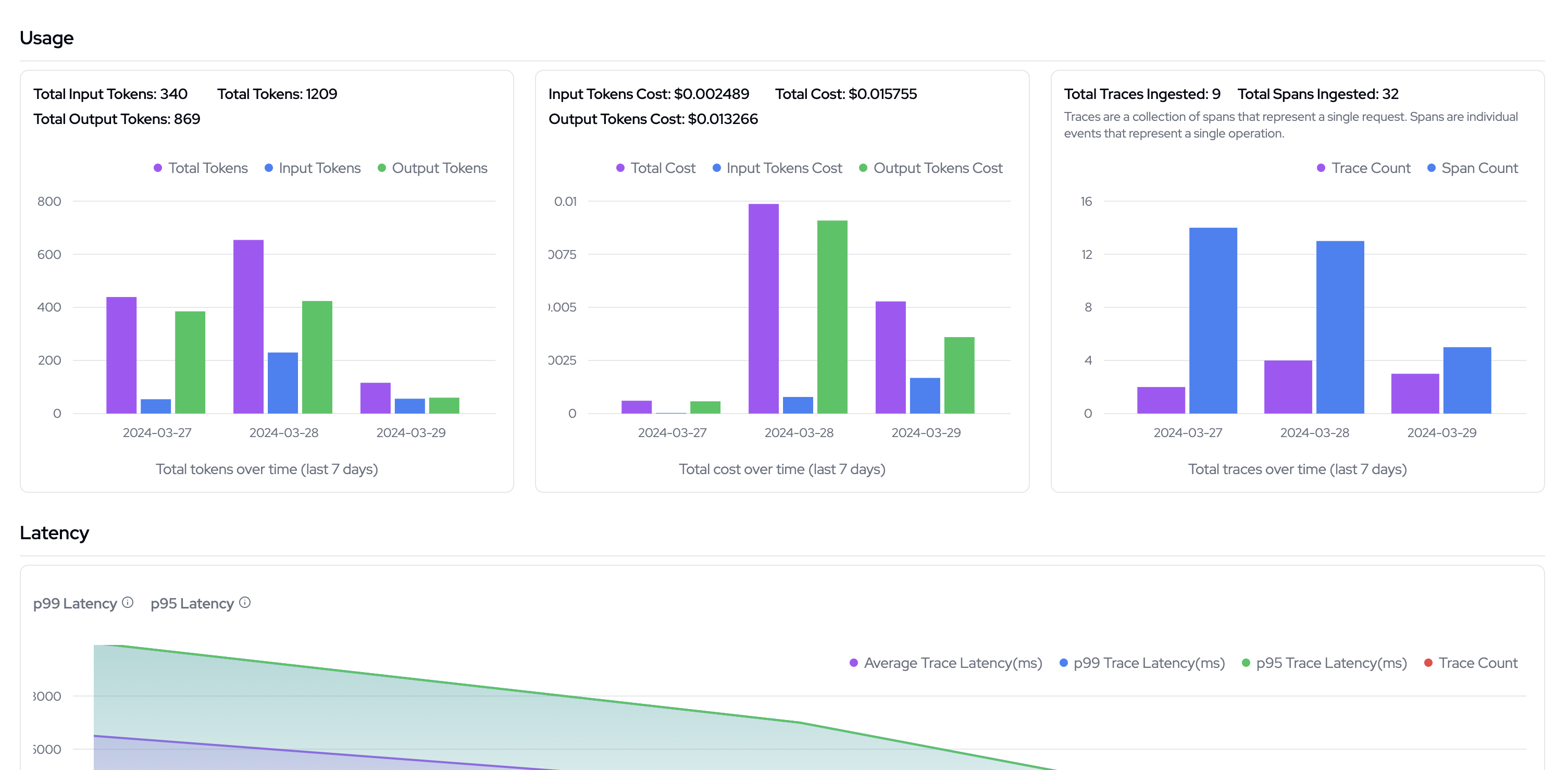
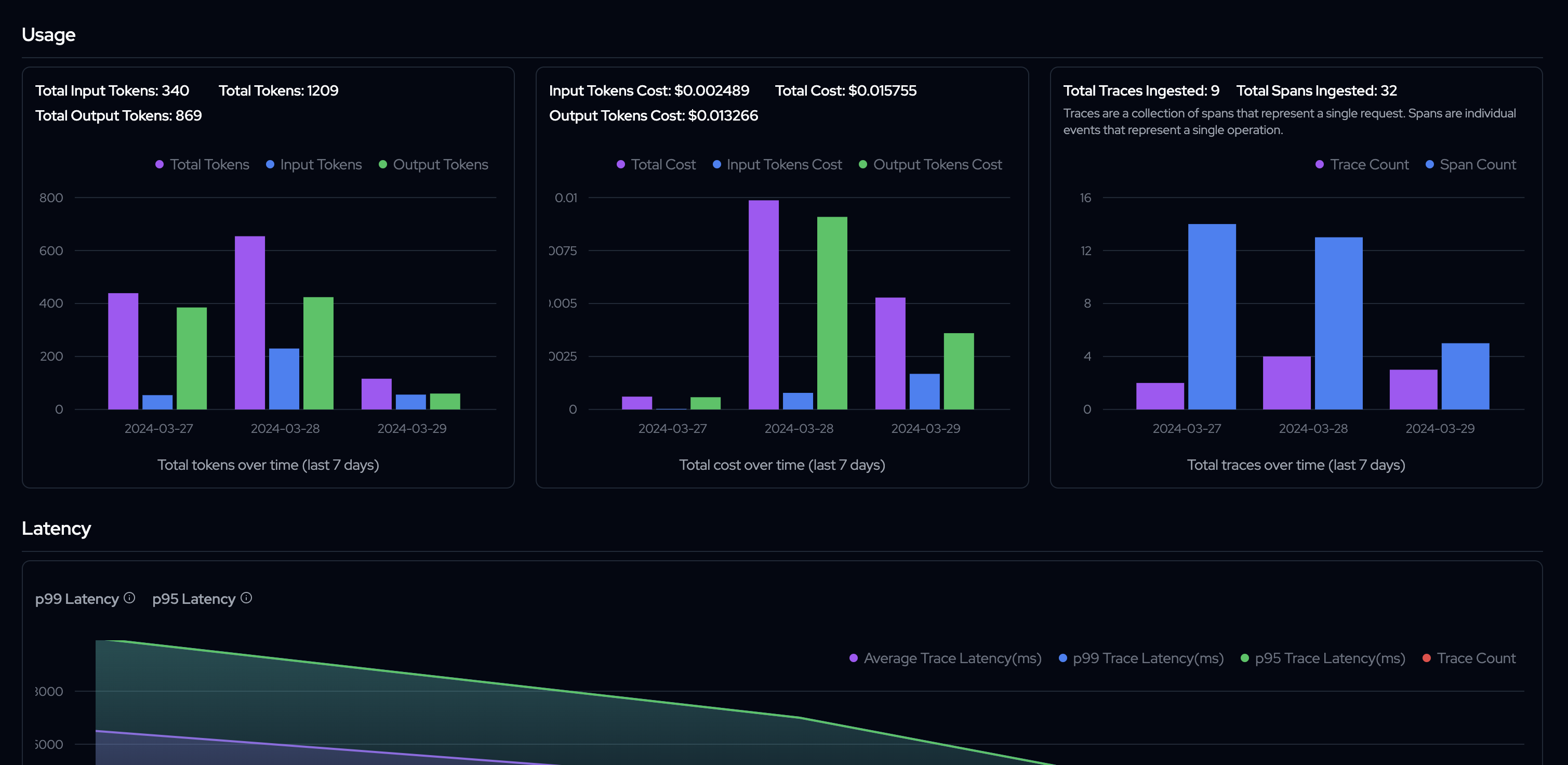 Langtrace optimizes for the following 3 pillars of observability for your LLM apps:
* Usage - Tokens and Cost
* Accuracy
* Performance - Latency and Success Rate
Need help with the SDK? [Contact us](https://calendar.app.google/Go5gXNPcqZjAY4i47)
## Setting up
The first step to using Langtrace is to import into your Typescript or Python project.
#### Step 1: Signup to Langtrace and generate an API key from the Langtrace dashboard.
* Signup to Langtrace [here](https://app.langtrace.ai/signup)
* Go to the [Langtrace dashboard](https://app.langtrace.ai/projects)
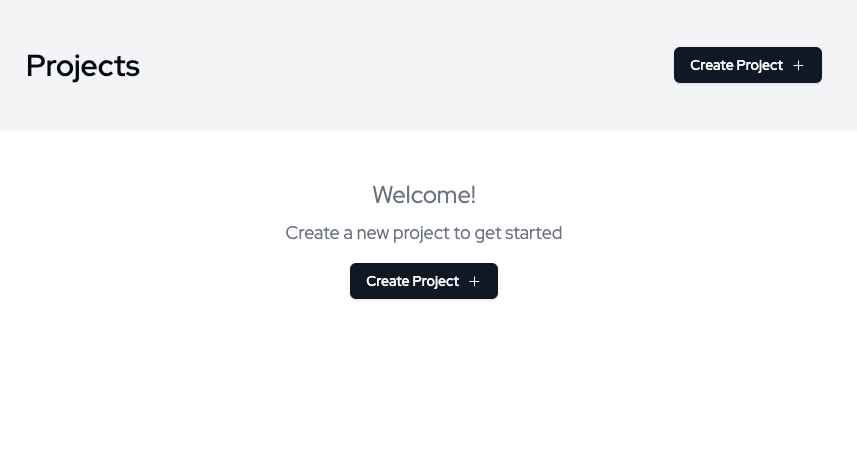
* Create a new project, be sure to provide a name and description
Langtrace optimizes for the following 3 pillars of observability for your LLM apps:
* Usage - Tokens and Cost
* Accuracy
* Performance - Latency and Success Rate
Need help with the SDK? [Contact us](https://calendar.app.google/Go5gXNPcqZjAY4i47)
## Setting up
The first step to using Langtrace is to import into your Typescript or Python project.
#### Step 1: Signup to Langtrace and generate an API key from the Langtrace dashboard.
* Signup to Langtrace [here](https://app.langtrace.ai/signup)
* Go to the [Langtrace dashboard](https://app.langtrace.ai/projects)
* Create a new project, be sure to provide a name and description
 * Click on the Project name
* Click on the `Generate API Key` button
* Click on the Project name
* Click on the `Generate API Key` button
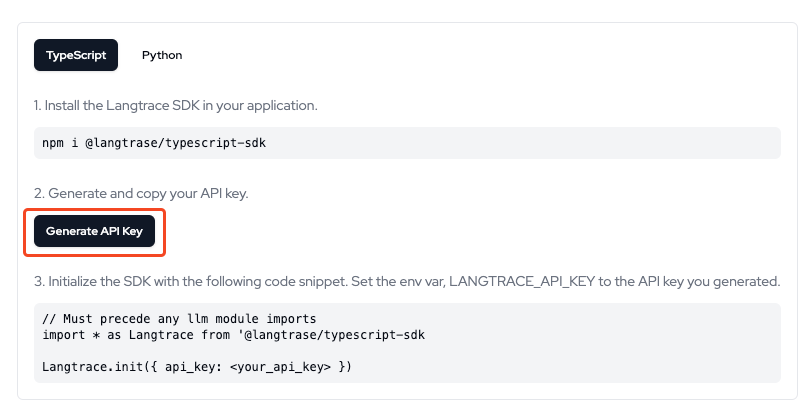 * Copy the generated API key. You will need this key to initialize the SDK in your project.
#### Step 2: Install the SDK on your project:
* **Python**: Install the Langtrace SDK using pip
```python theme={null}
pip install langtrace-python-sdk
```
* **Typescript**: Install the Langtrace SDK using npm
```typescript theme={null}
npm i @langtrase/typescript-sdk
```
#### Step 3: Initialize the SDK in your project:
```typescript Typescript theme={null}
// Must precede any llm module imports
import * as Langtrace from "@langtrase/typescript-sdk";
Langtrace.init({ api_key: "" });
```
```python Python theme={null}
from langtrace_python_sdk import langtrace
langtrace.init(api_key = '')
```
#### Step 3: Run your application to view your traces on the Langtrace dashboard.
You can now view your traces on the [Langtrace dashboard](https://app.langtrace.ai/projects).
* Copy the generated API key. You will need this key to initialize the SDK in your project.
#### Step 2: Install the SDK on your project:
* **Python**: Install the Langtrace SDK using pip
```python theme={null}
pip install langtrace-python-sdk
```
* **Typescript**: Install the Langtrace SDK using npm
```typescript theme={null}
npm i @langtrase/typescript-sdk
```
#### Step 3: Initialize the SDK in your project:
```typescript Typescript theme={null}
// Must precede any llm module imports
import * as Langtrace from "@langtrase/typescript-sdk";
Langtrace.init({ api_key: "" });
```
```python Python theme={null}
from langtrace_python_sdk import langtrace
langtrace.init(api_key = '')
```
#### Step 3: Run your application to view your traces on the Langtrace dashboard.
You can now view your traces on the [Langtrace dashboard](https://app.langtrace.ai/projects).
 ## Start using Langtrace
Dive into the SDK features. Here are the supported languages
Integrate with your Python project
Integrate with your Typescript project
We are working hard to add support for more languages.
## Pricing
Langtrace offers flexible pricing options to suit various needs and usage levels. Here's an overview of our pricing structure:
## Starter
Ideal for individuals or hackers just beginning their LLM observability journey.
* Free forever
* 1 user/month
* Includes up to 10K spans/month, prompt management, and evaluations
## Growth
Designed for growing teams and projects with increasing observability needs.
* \$39/user/month
* Usage based pricing: \$0.005 / additional span ingested / month (above 50K spans)
* Includes everything in Free Forever
* Evaluations in the cloud
* Team collaboration features
* Security guardrails
## Scale - Enterprises
Tailored solutions for large-scale enterprises with complex requirements.
* Custom pricing
* Custom retention policy
* Custom SLAs
* Security guardrails
* Team collaboration features
* SOC 2 Type II Compliance
## Self-Hosted
Perfect for developers who prioritize data control and customization.
* Free to get started
* Includes tracing, prompt management, and evaluations that can be accessed by hosting locally
## Pricing FAQs
### What is a span?
A span represents a single unit of work or operation in your application. For LLM apps, this typically corresponds to an API call or a specific step in your language model pipeline.
### How do I know which plan is right for me?
If you're just getting started or want to self-host, our Self-Hosted option is perfect. For small teams or projects using our managed service, the Starter plan is ideal. As your usage grows, the Growth plan offers more flexibility and features. Large enterprises with specific needs should consider our Scale plan.
### Can I upgrade or downgrade my plan?
Yes, you can change your plan at any time to match your current needs.
### What happens if I exceed my plan's limits?
For the Growth plan, you'll be charged for additional spans above the 50K limit. For other plans, please contact our sales team [sales@langtrace.ai](mailto:sales@langtrace.ai) to discuss options.
### Do you offer a free trial of paid features?
Please contact our sales team to discuss trial options for our paid features.
To discuss specific requirements or to learn more about our Enterprise offerings, please contact us at [sales@langtrace.ai](mailto:sales@langtrace.ai).
## FAQs
* **What is Langtrace?**
Langtrace is an open-source observability tool that helps you collect and analyze traces to improve your LLM apps.
* **How do I get started with Langtrace?**
To get started with Langtrace, you need to signup and generate an API key. Then, install and import the SDK into your project to start shipping traces to Langtrace.
* **What are the benefits of using Langtrace?**
Langtrace helps you with the following:
* Monitor your LLM usage - token and costs, latency and success rate.
* Evaluate the responses of the LLM to measure the accuracy of your LLM apps.
* Create and manage datasets and prompt sets for your LLM apps.
* **What languages does Langtrace support?**
Langtrace currently supports Python and Typescript. We are adding support for more languages.
## Start using Langtrace
Dive into the SDK features. Here are the supported languages
Integrate with your Python project
Integrate with your Typescript project
We are working hard to add support for more languages.
## Pricing
Langtrace offers flexible pricing options to suit various needs and usage levels. Here's an overview of our pricing structure:
## Starter
Ideal for individuals or hackers just beginning their LLM observability journey.
* Free forever
* 1 user/month
* Includes up to 10K spans/month, prompt management, and evaluations
## Growth
Designed for growing teams and projects with increasing observability needs.
* \$39/user/month
* Usage based pricing: \$0.005 / additional span ingested / month (above 50K spans)
* Includes everything in Free Forever
* Evaluations in the cloud
* Team collaboration features
* Security guardrails
## Scale - Enterprises
Tailored solutions for large-scale enterprises with complex requirements.
* Custom pricing
* Custom retention policy
* Custom SLAs
* Security guardrails
* Team collaboration features
* SOC 2 Type II Compliance
## Self-Hosted
Perfect for developers who prioritize data control and customization.
* Free to get started
* Includes tracing, prompt management, and evaluations that can be accessed by hosting locally
## Pricing FAQs
### What is a span?
A span represents a single unit of work or operation in your application. For LLM apps, this typically corresponds to an API call or a specific step in your language model pipeline.
### How do I know which plan is right for me?
If you're just getting started or want to self-host, our Self-Hosted option is perfect. For small teams or projects using our managed service, the Starter plan is ideal. As your usage grows, the Growth plan offers more flexibility and features. Large enterprises with specific needs should consider our Scale plan.
### Can I upgrade or downgrade my plan?
Yes, you can change your plan at any time to match your current needs.
### What happens if I exceed my plan's limits?
For the Growth plan, you'll be charged for additional spans above the 50K limit. For other plans, please contact our sales team [sales@langtrace.ai](mailto:sales@langtrace.ai) to discuss options.
### Do you offer a free trial of paid features?
Please contact our sales team to discuss trial options for our paid features.
To discuss specific requirements or to learn more about our Enterprise offerings, please contact us at [sales@langtrace.ai](mailto:sales@langtrace.ai).
## FAQs
* **What is Langtrace?**
Langtrace is an open-source observability tool that helps you collect and analyze traces to improve your LLM apps.
* **How do I get started with Langtrace?**
To get started with Langtrace, you need to signup and generate an API key. Then, install and import the SDK into your project to start shipping traces to Langtrace.
* **What are the benefits of using Langtrace?**
Langtrace helps you with the following:
* Monitor your LLM usage - token and costs, latency and success rate.
* Evaluate the responses of the LLM to measure the accuracy of your LLM apps.
* Create and manage datasets and prompt sets for your LLM apps.
* **What languages does Langtrace support?**
Langtrace currently supports Python and Typescript. We are adding support for more languages.