> ## Documentation Index
> Fetch the complete documentation index at: https://docs.langtrace.ai/llms.txt
> Use this file to discover all available pages before exploring further.
# Quickstart
> Start shipping traces to Langtrace Cloud or your preferred OpenTelemetry-compatible backend in under 5 minutes!
### Introduction
Langtrace offers flexible options for trace collection and analysis:
1. **[Langtrace Cloud](#langtrace-cloud) ☁️**: Our managed SaaS solution for easy setup and immediate insights.
2. **[Self-hosted Langtrace](#langtrace-self-hosted) 🏠**: For organizations that prefer to host Langtrace on their own infrastructure.
3. **[OpenTelemetry Integration](#opentelemetry-integration) 🔗**: Langtrace SDK supports sending traces to any OpenTelemetry-compatible backend (Datadog, New Relic, Grafana, etc), allowing you to use your existing observability stack.
Important: When using Langtrace with third-party OpenTelemetry-compatible
vendors, you don't need to generate a Langtrace API key. The SDK can be
configured to send traces directly to your preferred backend.
Choose the option that best fits your needs and follow the corresponding setup instructions below.
#### Langtrace Cloud ☁️
To use the managed SaaS version of Langtrace, follow these steps:
1. Sign up by going to [this link](https://app.langtrace.ai/signup).
2. Create a new Project after signing up. Projects are containers for storing traces and metrics generated by your application. If you have only one application, creating 1 project will do.
3. Generate an API key. This key will be used to authenticate your application with Langtrace Cloud.
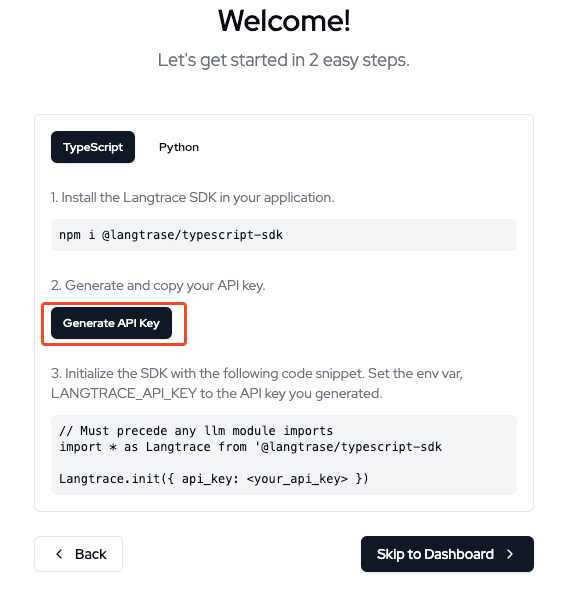 You may also create new projects and generate API keys for each of them
later.
4. In your application, install the Langtrace SDK. The code for installing the SDK is shown below:
```typescript Typescript theme={null}
// Install the SDK
npm i @langtrase/typescript-sdk
```
```python Python theme={null}
# Install the SDK
pip install langtrace-python-sdk
```
5. Initialize the Langtrace SDK with the API key you generated in the step 3. The code for setting up the SDK is shown below:
```typescript Typescript theme={null}
// Import it into your project. Must precede any llm module imports
import \* as Langtrace from '@langtrase/typescript-sdk'
Langtrace.init({ api_key: ''})
```
```python Python theme={null}
# Import it into your project
from langtrace_python_sdk import langtrace # Must precede any llm module imports
langtrace.init(api_key = '')
```
6. You can now use Langtrace in your code. Here's a simple example:
```python Python theme={null}
from openai import OpenAI
client = OpenAI()
response = client.chat.completions.create(
model="gpt-3.5-turbo",
messages=[
{"role": "system", "content": "You are a helpful assistant."},
{"role": "user", "content": "Hello!"}
]
)
print(response.choices[0].message)
```
```typescript Typescript theme={null}
import OpenAI from 'openai';
const openai = new OpenAI();
async function main() {
const completion = await openai.chat.completions.create({
messages: [
{ role: 'system', content: 'You are a helpful assistant.' },
{ role: 'user', content: 'Hello!' }
],
model: 'gpt-3.5-turbo',
});
console.log(completion.choices[0].message.content);
}
main();
```
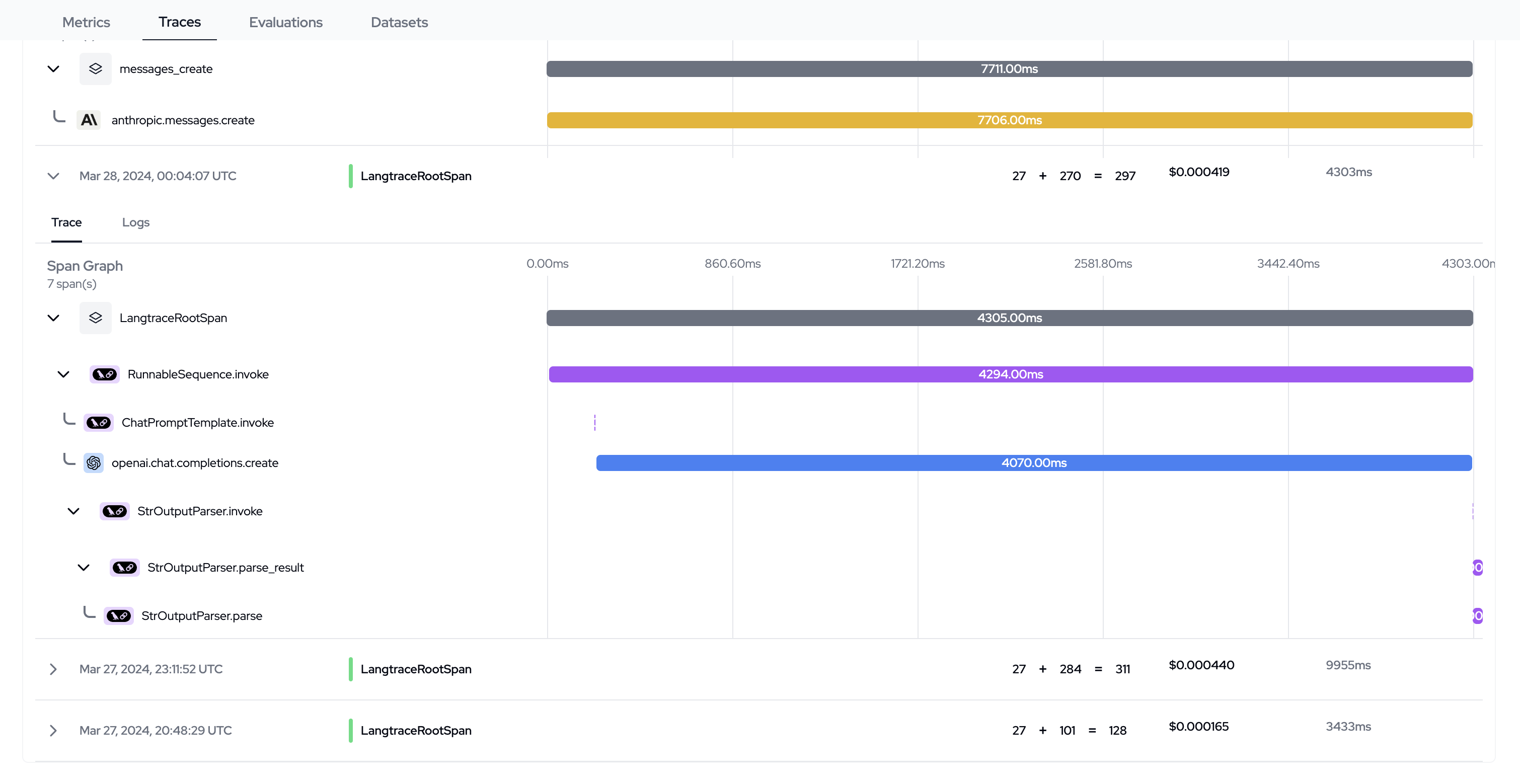
Congrats! You can now view your traces on Langtrace Cloud. 🚀
You may also create new projects and generate API keys for each of them
later.
4. In your application, install the Langtrace SDK. The code for installing the SDK is shown below:
```typescript Typescript theme={null}
// Install the SDK
npm i @langtrase/typescript-sdk
```
```python Python theme={null}
# Install the SDK
pip install langtrace-python-sdk
```
5. Initialize the Langtrace SDK with the API key you generated in the step 3. The code for setting up the SDK is shown below:
```typescript Typescript theme={null}
// Import it into your project. Must precede any llm module imports
import \* as Langtrace from '@langtrase/typescript-sdk'
Langtrace.init({ api_key: ''})
```
```python Python theme={null}
# Import it into your project
from langtrace_python_sdk import langtrace # Must precede any llm module imports
langtrace.init(api_key = '')
```
6. You can now use Langtrace in your code. Here's a simple example:
```python Python theme={null}
from openai import OpenAI
client = OpenAI()
response = client.chat.completions.create(
model="gpt-3.5-turbo",
messages=[
{"role": "system", "content": "You are a helpful assistant."},
{"role": "user", "content": "Hello!"}
]
)
print(response.choices[0].message)
```
```typescript Typescript theme={null}
import OpenAI from 'openai';
const openai = new OpenAI();
async function main() {
const completion = await openai.chat.completions.create({
messages: [
{ role: 'system', content: 'You are a helpful assistant.' },
{ role: 'user', content: 'Hello!' }
],
model: 'gpt-3.5-turbo',
});
console.log(completion.choices[0].message.content);
}
main();
```
Congrats! You can now view your traces on Langtrace Cloud. 🚀
 #### OpenTelemetry Integration 🔗
If you prefer to use Langtrace with your existing OpenTelemetry-compatible backend:
1. Install the Langtrace SDK as described in the Langtrace Cloud section.
2. Instead of initializing with a Langtrace API key, configure the SDK to use your OpenTelemetry exporter. Refer to our [documentation](supported-integrations/overview#observabililty-tools) for OpenTelemetry tools. Or consult your platform of choice.
**Note:** When shipping traces directly to other observability tools (e.g.,
Datadog, Instana, New Relic), you **do not** need a Langtrace API key. Only the API key
for your chosen observability tool is required.
#### Langtrace Self-hosted 🏠
For users/organizations that want to host Langtrace on their own infrastructure, follow [these steps](hosting/overview) to get started.
### Configure Langtrace SDK
For more details on configuring the Langtrace SDK, refer to the page [Langtrace SDK Features](./sdk/sdk_features)
| Parameter | Type | Default Value | Description |
| -------------------------- | ------------------------------------------- | ------------------------------------ | -------------------------------------------------------------------------------------------------------------------------------------------------- |
| `batch` | `bool` | `True` | Whether to batch spans before sending them. |
| `api_key` | `str` | `LANGTRACE_API_KEY`
#### OpenTelemetry Integration 🔗
If you prefer to use Langtrace with your existing OpenTelemetry-compatible backend:
1. Install the Langtrace SDK as described in the Langtrace Cloud section.
2. Instead of initializing with a Langtrace API key, configure the SDK to use your OpenTelemetry exporter. Refer to our [documentation](supported-integrations/overview#observabililty-tools) for OpenTelemetry tools. Or consult your platform of choice.
**Note:** When shipping traces directly to other observability tools (e.g.,
Datadog, Instana, New Relic), you **do not** need a Langtrace API key. Only the API key
for your chosen observability tool is required.
#### Langtrace Self-hosted 🏠
For users/organizations that want to host Langtrace on their own infrastructure, follow [these steps](hosting/overview) to get started.
### Configure Langtrace SDK
For more details on configuring the Langtrace SDK, refer to the page [Langtrace SDK Features](./sdk/sdk_features)
| Parameter | Type | Default Value | Description |
| -------------------------- | ------------------------------------------- | ------------------------------------ | -------------------------------------------------------------------------------------------------------------------------------------------------- |
| `batch` | `bool` | `True` | Whether to batch spans before sending them. |
| `api_key` | `str` | `LANGTRACE_API_KEY`
or `None` | The API key for authentication. |
| `write_spans_to_console` | `bool` | `False` | Whether to write spans to the console. |
| `custom_remote_exporter` | `Optional[Exporter]` | `None` | Custom remote exporter.
If `None`, a default `LangTraceExporter` will be used. |
| `api_host` | `Optional[str]` | `https://langtrace.ai/` | The API host for the remote exporter. |
| `service_name` | `Optional[str]` | `None` | The Service name for initializing langtrace |
| `disable_instrumentations` | `Optional`
`[DisableInstrumentations]` | `None` | You can pass an object to disable instrumentation for specific vendors,
e.g., `{'only': ['openai']}`
or `{'all_except': ['openai']}`. |
| Parameter | Type | Default Value | Description |
| ------------------------------ | -------------------------------------------------------------------- | ----------------------------- | ---------------------------------------------------------------------------------------------------------------------------------------------------------------------------------------------------- |
| `api_key` | `string` | `LANGTRACE_API_KEY` or `None` | The API key for authentication. |
| `batch` | `boolean` | `false` | Whether to batch spans before sending them. |
| `write_spans_to_console` | `boolean` | `false` | Whether to write spans to the console. |
| `custom_remote_exporter` | `SpanExporter` | `undefined` | Custom remote exporter. If `undefined`, a default `LangTraceExporter` will be used. |
| `api_host` | `string` | `https://langtrace.ai/` | The API host for the remote exporter. For self hosted setups the url needs to be appended with `/api/trace`. |
| `instrumentations` | `{ [key in InstrumentationType]?: any }` | `undefined` | This is a required option for next.js applications. It is used to enable or disable instrumentations. ex `instrumentations: {openai: openai}` where the value is `import * as openai from 'openai'`. |
| `service_name` | `Optional[str]` | `undefined` | The Service name for initializing langtrace. Can also be set via `OTEL_SERVICE_NAME` environment variable |
| `disable_instrumentations` | `{all_except?: InstrumentationType[], only?: InstrumentationType[]}` | `{}` | You can pass an object to disable instrumentation for specific vendors, e.g., `{'only': ['openai']}` or `{'all_except': ['openai']}`. |
| `disable_tracing_for_methods` | `Partial` | `undefined` | You can pass an object to disable tracing for specific methods. ex `disable_tracing_for_methods: { openai: ['openai.chat.completion'] }`. Full list of methods can be found [here]() |
| `disable_latest_version_check` | `boolean` | `false` | Disable the latest version check. This disables the warning when the sdk version is outdated |