> ## Documentation Index
> Fetch the complete documentation index at: https://docs.langtrace.ai/llms.txt
> Use this file to discover all available pages before exploring further.
# Agno
> Learn how to use Langtrace with Agno for building multi-modal agents and tracing
Agno is a lightweight library for building multi-modal agents, designed with simplicity, speed, and flexibility in mind. It avoids complex graphs and chains, offering a pure Python experience for effortless development. Optimized for performance, Agno enables blazing-fast agents with minimal memory usage.
With Langtrace, you can gain deep visibility into your agents' operations, including tool calls, memory operations, reasoning steps, and model interactions.
## Setup
1. Install the Langtrace's SDK and [initialize](/quickstart) the SDK in your code.
```bash theme={null}
pip install langtrace-python-sdk
```
2. Install the [Agno](https://github.com/agno-agi/agno) Library.
```bash theme={null}
pip install agno
```
3. Setup environment variables:
```bash theme={null}
export LANGTRACE_API_KEY=YOUR_LANGTRACE_API_KEY
export OPENAI_API_KEY=YOUR_OPENAI_API_KEY # this is assuming you're using OPENAI for inference
```
## Usage
Initialize Langtrace before creating your Phidata agent:
```python Python theme={null}
from langtrace_python_sdk import langtrace # Must precede other imports
from langtrace_python_sdk.utils.with_root_span import with_langtrace_root_span
from agno.agent import Agent
from agno.models.openai import OpenAIChat
from agno.tools.yfinance import YFinanceTools
langtrace.init()
```
Create and run the agent:
```python Python theme={null}
def analyze_stock(symbol: str):
finance_agent = Agent(
name="Finance Agent",
model=OpenAIChat(id="gpt-4o"),
tools=[
YFinanceTools(
stock_price=True,
analyst_recommendations=True,
company_info=True,
company_news=True
)
],
instructions=["Use tables to display data"],
show_tool_calls=True,
markdown=True,
)
finance_agent.print_response(
f"Analyze {symbol}. Show me:\n" +
"1. Current stock price\n" +
"2. Analyst recommendations\n" +
"3. Latest company news\n" +
"Present the information in a clear, organized format.",
stream=True
)
# Run the analysis
analyze_stock("NVDA")
```
## What's being traced?
With Langtrace, the following operations are automatically traced:
1. **Agent Run Operations**:
* Input/output content
* Run duration and timestamps
* Stream events for streaming responses
2. **Tool Calls**:
* Function name and parameters
* Execution time
* Return values and errors
3. **Memory Operations**:
* Memory updates
* Chat history retrievals
* User memory creation
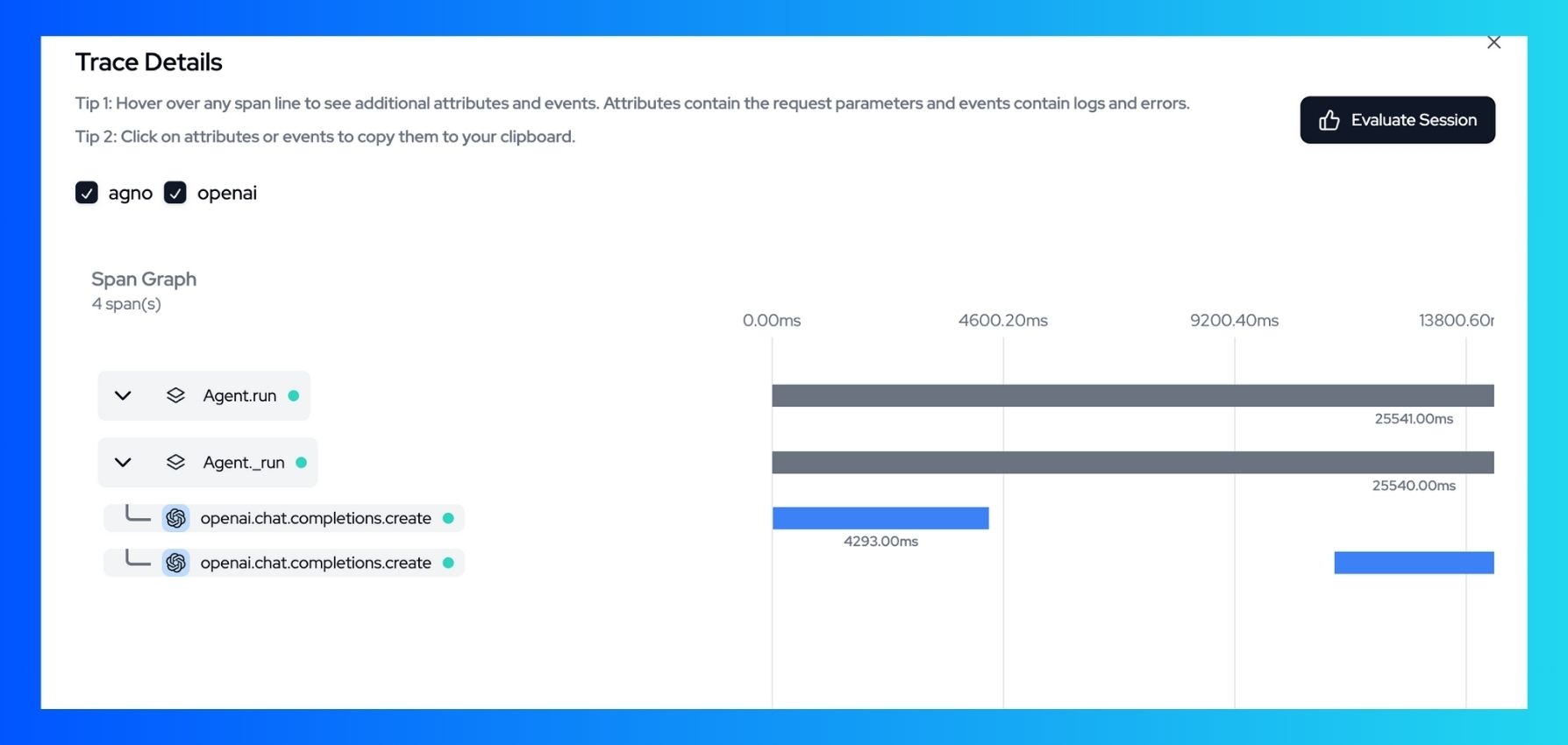
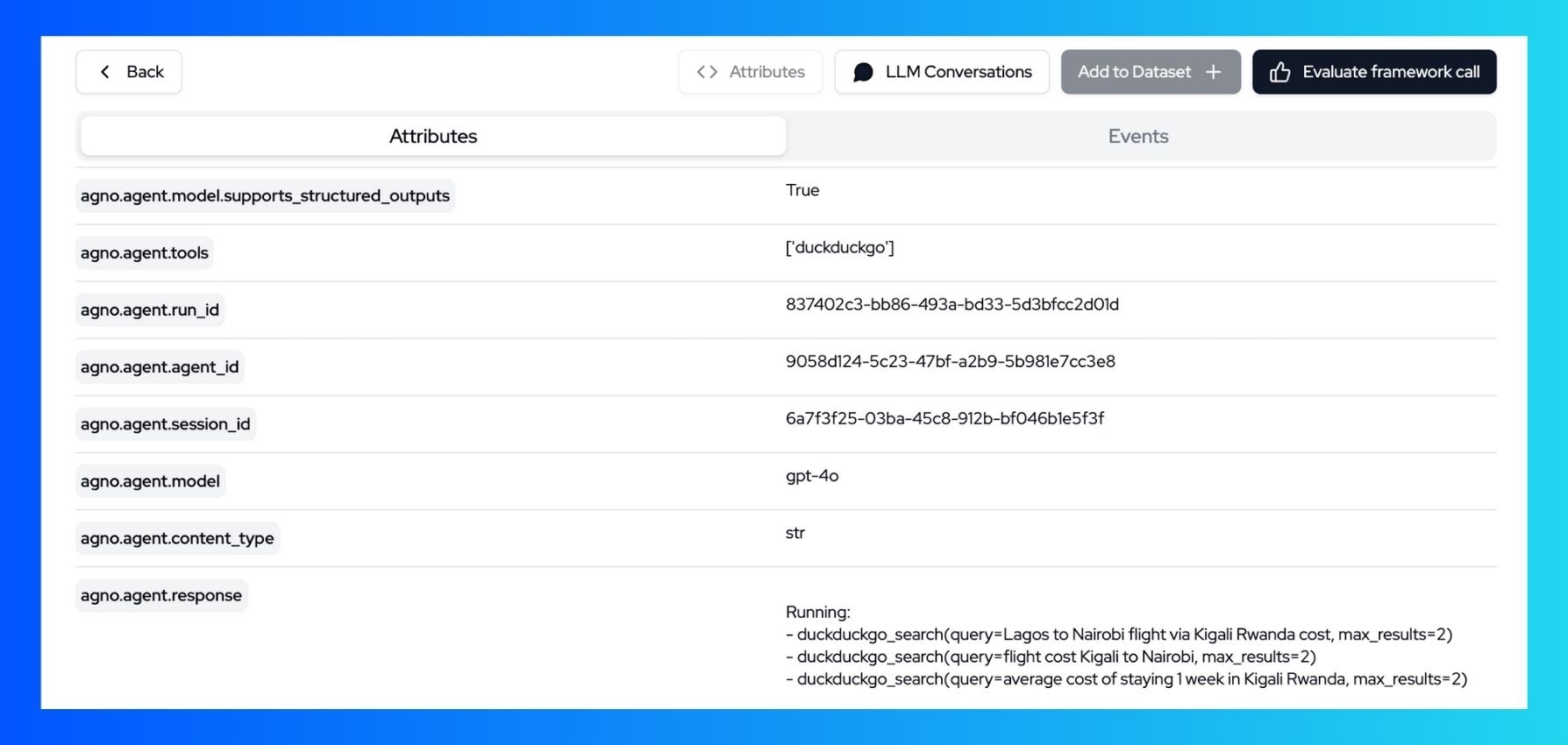
View all these trace details in the Langtrace dashboard:
 ## Resources
* [Getting started with Langtrace](/introduction)
* [Agno Documentation](https://github.com/agno-agi/agno)
* [Join our Discord Community](https://discord.langtrace.ai/)
## Resources
* [Getting started with Langtrace](/introduction)
* [Agno Documentation](https://github.com/agno-agi/agno)
* [Join our Discord Community](https://discord.langtrace.ai/)