> ## Documentation Index
> Fetch the complete documentation index at: https://docs.langtrace.ai/llms.txt
> Use this file to discover all available pages before exploring further.
# LiteLLM
> Langtrace and LiteLLM Integration Guide
Langtrace integrates directly with LiteLLM, offering detailed, real-time insights into performance metrics such as cost, token usage, accuracy, and latency.
You'll need API key from Langtrace. Sign up for [Langtrace](https://langtrace.ai) if you haven't done so already.\*
## LiteLLM SDK
1. Setup environment variables:
```bash Shell theme={null}
export LANGTRACE_API_KEY=YOUR_LANGTRACE_API_KEY
```
2. Add callback to your LiteLLM client
```python main.py theme={null}
import litellm
litellm.success_callback = ['langtrace']
```
3. Use LiteLLM completion
```python main.py theme={null}
from litellm import completion
response = completion(
model="gpt-4",
messages=[
{"role": "user", "content": "this is a test request, write a short poem"}
],
)
print(response)
```
## LiteLLM Proxy
1. Create `config.yaml`:
```yaml config.yaml theme={null}
model_list:
- model_name: gpt-4
litellm_params:
model: openai/gpt-4
litellm_settings:
callbacks: ["langtrace"]
environment_variables:
LANGTRACE_API_KEY:
```
2. Run LiteLLM Proxy
```bash Shell theme={null}
litellm --config config.yaml --detailed_debug
```
3. Test your setup
```bash Curl theme={null}
curl --location 'http://0.0.0.0:4000/chat/completions' \
--header 'Content-Type: application/json' \
--data ' {
"model": "gpt-4",
"messages": [
{
"role": "user",
"content": "what llm are you"
}
]
}'
```
```python OpenAI v1.0.0+ theme={null}
import openai
client = openai.OpenAI(base_url="http://0.0.0.0:4000", api_key="YOUR_OPENAI_API_KEY")
response = client.chat.completions.create(
model="gpt-4",
messages=[
{"role": "user", "content": "this is a test request, write a short poem"}
],
)
print(response)
```
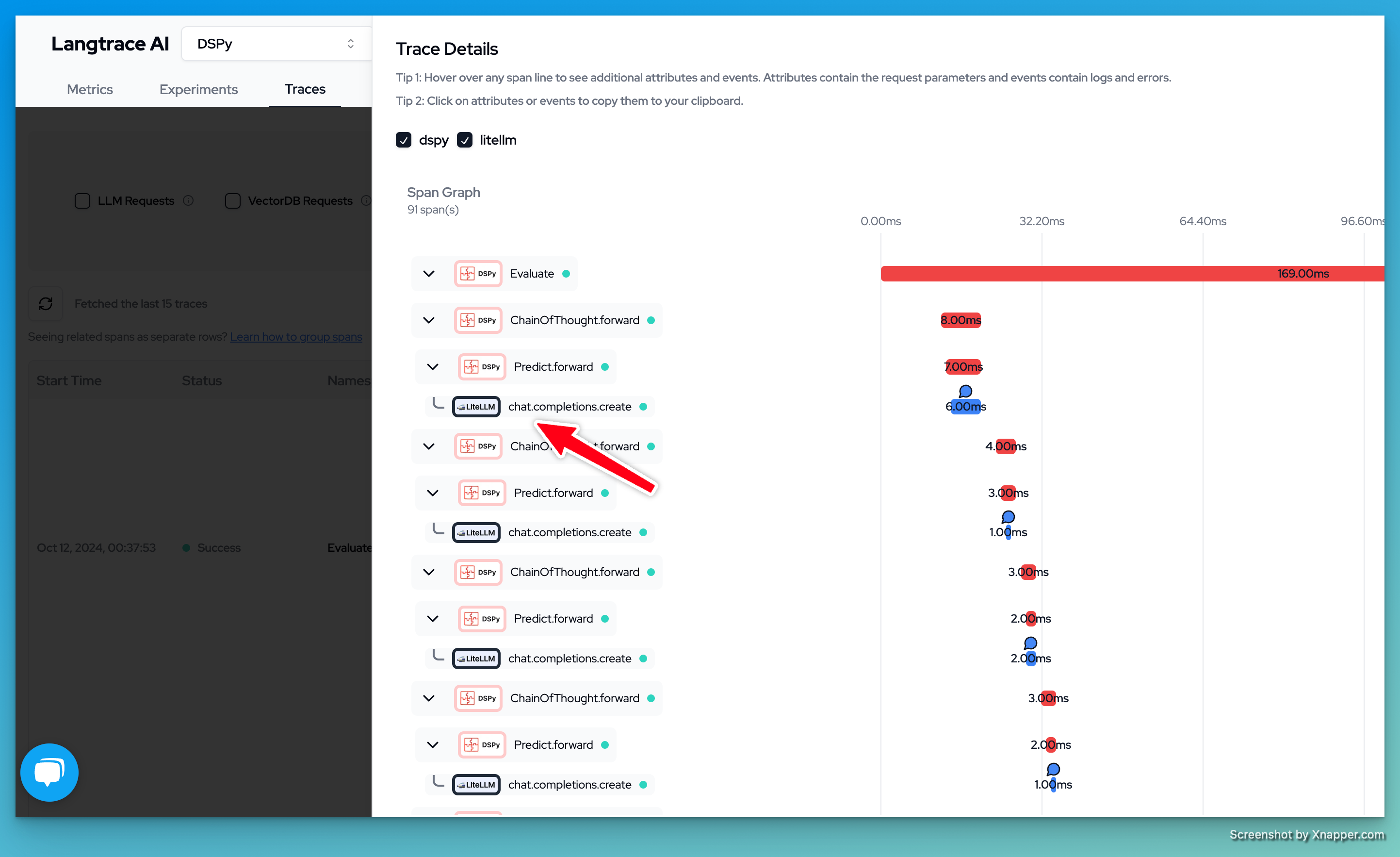
You can now view your traces on the Langtrace dashboard
 Want to see more supported methods? Checkout the sample code in the [Langtrace Langchain Python Example](https://python.langchain.com/docs/get_started/installation/)