> ## Documentation Index
> Fetch the complete documentation index at: https://docs.langtrace.ai/llms.txt
> Use this file to discover all available pages before exploring further.
# Neo4j GraphRAG
> Learn how to use Langtrace with Neo4j GraphRAG for Retrieval Augmented Generation with knowledge graphs
Neo4j GraphRAG enables developers to build graph retrieval augmented generation (GraphRAG) applications using the power of Neo4j and Python. As a first-party library, it offers a robust, feature-rich, and high-performance solution, with the added assurance of long-term support and maintenance directly from Neo4j.
Here's how to use it with Langtrace:
## Setup
1. Install the Langtrace's SDK and [initialize](/quickstart) the SDK in your code.
```bash theme={null}
pip install langtrace-python-sdk
```
2. Install the [Neo4j](https://neo4j.com/docs/getting-started/) driver and the [Neo4j GraphRAG](https://github.com/neo4j/neo4j-graphrag-python) library.
```bash theme={null}
pip install neo4j
pip install neo4j-graphrag
```
3. Setup environment variables:
```bash theme={null}
export LANGTRACE_API_KEY=YOUR_LANGTRACE_API_KEY
export OPENAI_API_KEY=YOUR_OPENAI_API_KEY # this is assuming you're using OPENAI for inference
```
## Usage
Initialize Langtrace before creating your Phidata agent:
```python Python theme={null}
from langtrace_python_sdk import langtrace # Must precede other imports
from langtrace_python_sdk.utils.with_root_span import with_langtrace_root_span
from neo4j import GraphDatabase
from neo4j_graphrag.generation import GraphRAG
from neo4j_graphrag.indexes import create_vector_index
from neo4j_graphrag.llm import OpenAILLM as LLM
from neo4j_graphrag.embeddings import OpenAIEmbeddings as Embeddings
from neo4j_graphrag.retrievers import VectorRetriever
from neo4j_graphrag.experimental.pipeline.kg_builder import SimpleKGPipeline
langtrace.init()
AUTH = (os.getenv("NEO4J_USERNAME"), os.getenv("NEO4J_PASSWORD"))
neo4j_driver = GraphDatabase.driver(os.getenv("NEO4J_URI"), auth=AUTH)
```
Create and run the RAG pipeline:
```python Python theme={null}
ex_llm=LLM(
model_name="gpt-4o-mini",
model_params={
"response_format": {"type": "json_object"},
"temperature": 0
})
embedder = Embeddings()
@with_langtrace_root_span("run_neo_rag")
async def run_rag():
# 1. Build KG and Store in Neo4j Database
kg_builder_pdf = SimpleKGPipeline(
llm=ex_llm,
driver=neo4j_driver,
embedder=embedder,
from_pdf=True
)
await kg_builder_pdf.run_async(file_path='data/contract.pdf')
create_vector_index(neo4j_driver, name="text_embeddings", label="Chunk",
embedding_property="embedding", dimensions=1536, similarity_fn="cosine")
# 2. KG Retriever
vector_retriever = VectorRetriever(
neo4j_driver,
index_name="text_embeddings",
embedder=embedder
)
# 3. GraphRAG Class
llm = LLM(model_name="gpt-4o")
rag = GraphRAG(llm=llm, retriever=vector_retriever)
# 4. Run
response = rag.search("can you summarize the termination clause from the contract.")
print(response.answer)
asyncio.run(run_rag())
```
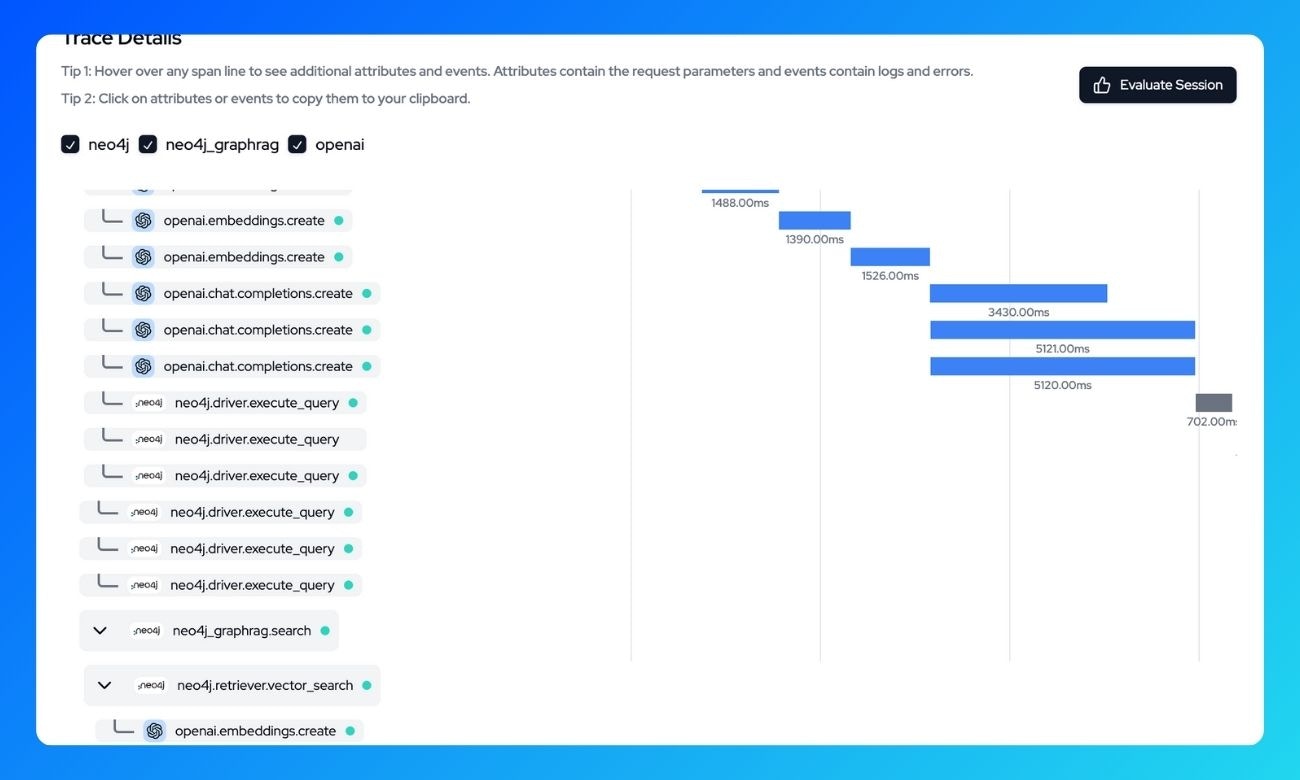
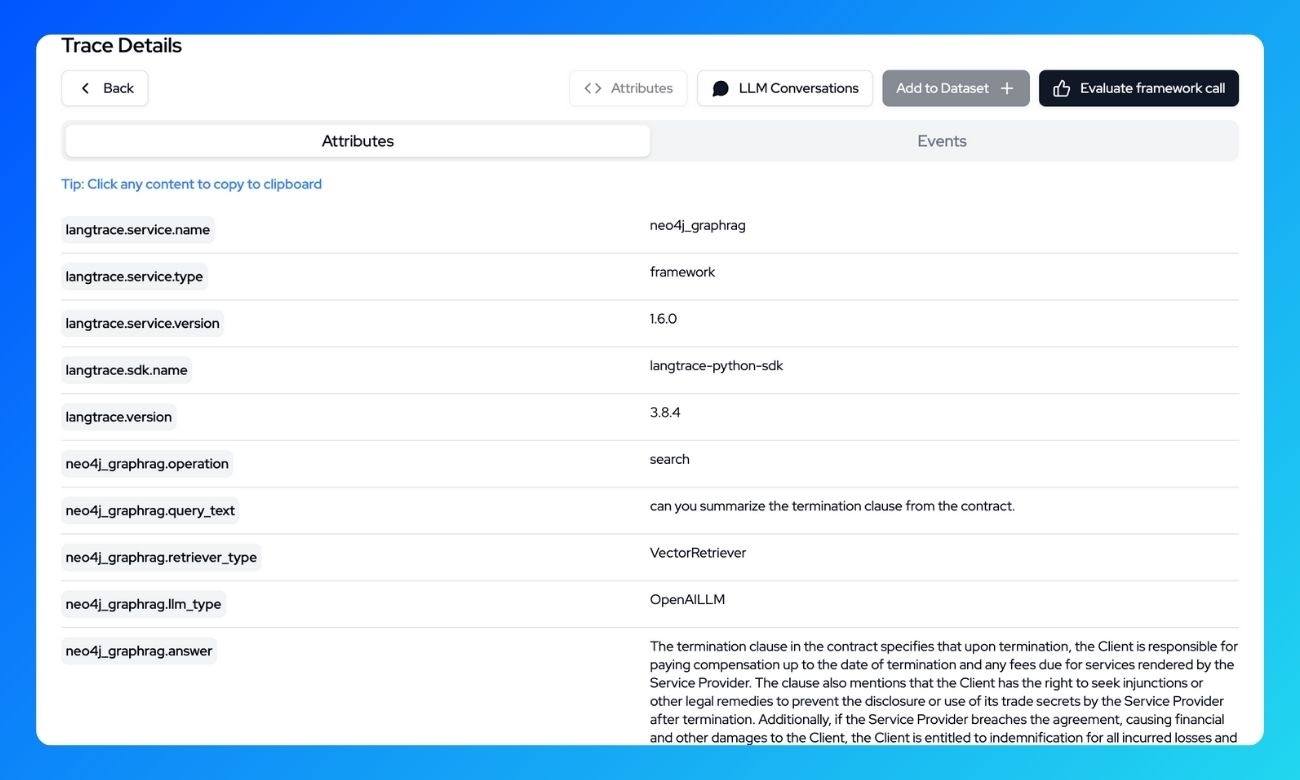
## What's being traced?
With Langtrace, the following operations are automatically traced:
**Knowledge Graph Building:**
-Document ingestion and processing
-Entity extraction and relationship creation
-Vector embedding generation
**Search and Retrieval:**
* Vector similarity search operations
* Subgraph extraction for context
* Retrieved document chunks
**LLM Generation:**
* Prompt construction with retrieved context
* Model completion generation
* Response processing
View all these trace details in the Langtrace dashboard:
 ## Resources
* [Getting started with Langtrace](/introduction)
* [Getting Started With the Neo4j GraphRAG Python Package](https://neo4j.com/blog/developer/get-started-graphrag-python-package/)
* [Join our Discord Community](https://discord.langtrace.ai/)
## Resources
* [Getting started with Langtrace](/introduction)
* [Getting Started With the Neo4j GraphRAG Python Package](https://neo4j.com/blog/developer/get-started-graphrag-python-package/)
* [Join our Discord Community](https://discord.langtrace.ai/)