> ## Documentation Index
> Fetch the complete documentation index at: https://docs.langtrace.ai/llms.txt
> Use this file to discover all available pages before exploring further.
# Arch
> Arch is an intelligent gateway designed to protect, observe, and personalize AI agents with your APIs. Engineered with purpose-built LLMs, Arch handles the critical but undifferentiated tasks related to the handling and processing of prompts, including detecting and rejecting jailbreak attempts, intelligently calling "backend" APIs to fulfill the user's request represented in a prompt, routing to and offering disaster recovery between upstream LLMs, and managing the observability of prompts and LLM API calls in a centralized way.
Using Langtrace to monitor your Arch apps is quick and easy. Follow these steps:
## Setup
1. Install and run Arch by following the steps outlined in their [docs](https://docs.archgw.com/get_started/quickstart.html).
2. Install the Langtrace SDK.
*Note: You'll need an API key from Langtrace. Sign up for [Langtrace](https://langtrace.ai) if you haven't done so already.*
```bash Python theme={null}
# Install the SDK
pip install -U langtrace-python-sdk openai
```
2. Setup environment variables:
```bash Shell theme={null}
export LANGTRACE_API_KEY=YOUR_LANGTRACE_API_KEY
```
## Usage
Generate a simple output with your deployment's model:
```python Python theme={null}
import os
from langtrace_python_sdk import langtrace # Must precede any llm module imports
langtrace.init(api_key = os.environ['LANGTRACE_API_KEY'])
from openai import OpenAI
## NOTE that Arch is openai client compatible which is why we will use the OPEN AI client
# Generate a simple output
messages = [
{
"role": "system",
"content": (
"You are an artificial intelligence assistant and you need to "
"engage in a helpful, detailed, polite conversation with a user."
),
},
{
"role": "user",
"content": (
"Count to 100, with a comma between each number and no newlines. "
"E.g., 1, 2, 3, ..."
),
},
]
## NOTE that Arch should be running on either port 10000 or 12000
client = OpenAI(api_key=os.environ['OPENAI_API_KEY'], base_url="http://127.0.0.1:12000/v1")
response = client.chat.completions.create(
model="gpt-4",
messages=messages,
)
```
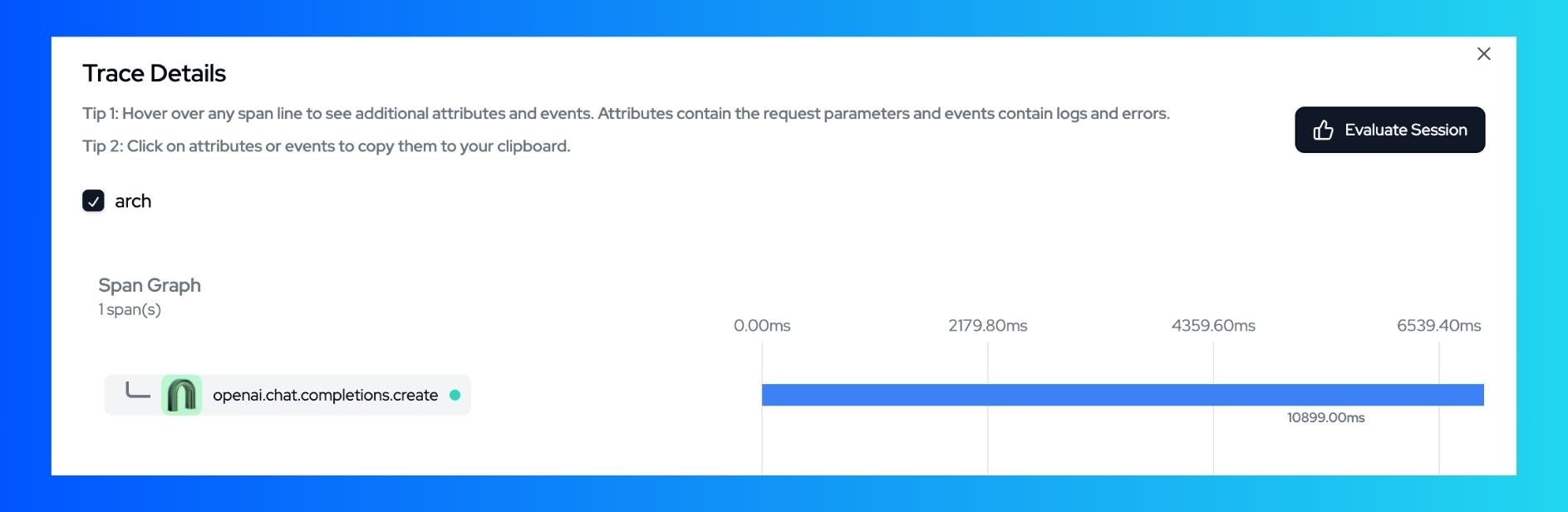
You can now view your traces on the Langtrace dashboard:
 ## Additional Resources
* [Langtrace Documentation](https://docs.langtrace.ai/introduction)
* [Arch Documentation](https://docs.archgw.com/)
## Additional Resources
* [Langtrace Documentation](https://docs.langtrace.ai/introduction)
* [Arch Documentation](https://docs.archgw.com/)