> ## Documentation Index
> Fetch the complete documentation index at: https://docs.langtrace.ai/llms.txt
> Use this file to discover all available pages before exploring further.
# Azure-OpenAI
> Azure OpenAI Service integrates OpenAI's advanced AI models, like GPT-4, with Azure's secure cloud infrastructure, enabling businesses to enhance their applications with sophisticated language processing capabilities. It provides scalable, customizable, and enterprise-grade AI solutions while ensuring data privacy and compliance. This service leverages Azure's reliability and security to offer powerful AI functionalities across various use cases.
Using Langtrace to monitor your Azure-OpenAI LLM is quick and easy. Follow these steps:
## Setup
1. Install the Langtrace and Azure-OpenAI SDKs.
*Note: You'll need API keys from Langtrace and AZURE-OPENAI SERVICE. Sign up for [Langtrace](https://langtrace.ai) and/or [Azure](https://azure.microsoft.com/en-us/free/ai-services/?azure-portal=true/) if you haven't done so already.*
```bash Python theme={null}
# Install the SDK
pip install -U langtrace-python-sdk openai
```
2. Setup environment variables:
```bash Shell theme={null}
export LANGTRACE_API_KEY=YOUR_LANGTRACE_API_KEY
export AZURE_OPENAI_ENDPOINT=YOUR_AZURE_OPENAI_ENDPOINT
export AZURE_OPENAI_API_KEY=YOUR_AZURE_OPENAI_API_KEY
export AZURE_API_VERSION=YOUR_API_VERSION
export AZURE_DEPLOYMENT_NAME=YOUR_DEPLOYMENT_NAME
```
## Usage
Generate a simple output with your deployment's model:
```python Python theme={null}
import os
from langtrace_python_sdk import langtrace # Must precede any llm module imports
from openai import AzureOpenAI
langtrace.init(api_key = os.environ['LANGTRACE_API_KEY'])
client = AzureOpenAI(
api_key=os.environ["AZURE_OPENAI_API_KEY"],
api_version=os.environ['AZURE_API_VERSION'],
azure_endpoint = os.environ["AZURE_OPENAI_ENDPOINT"]
)
deployment_name= os.environ['AZURE_DEPLOYMENT_NAME']
print('Sending a test completion job')
# Generate a simple output with your deployment's model
response = client.chat.completions.create(
model=os.environ['AZURE_DEPLOYMENT_NAME'],
messages=[
{"role": "system", "content": "You are a helpful assistant."},
{"role": "user", "content": "Does Azure OpenAI support customer managed keys?"},
{"role": "assistant", "content": "Yes, customer managed keys are supported by Azure OpenAI."},
{"role": "user", "content": "Do other Azure AI services support this too?"}
]
)
print(response.choices[0].message.content)
```
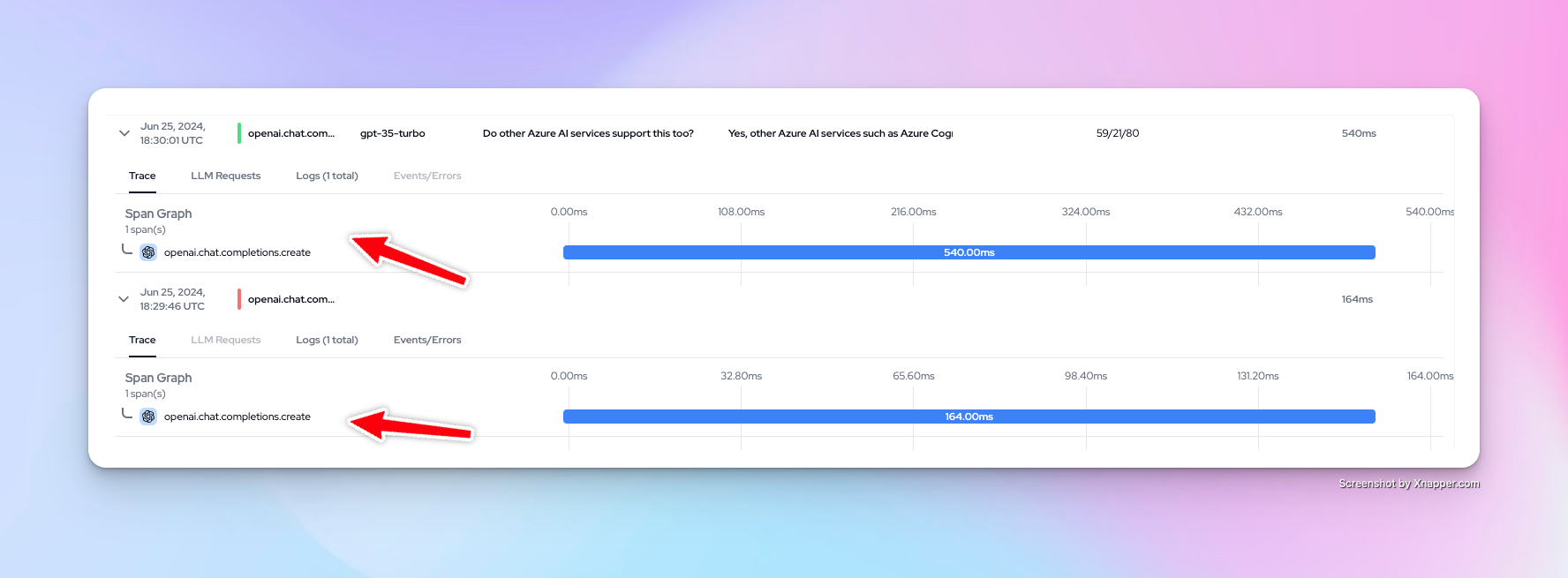
You can now view your traces on the Langtrace dashboard.
 Want to see more supported methods? Checkout the sample code in the [Langtrace Azure-OpenAI Python Example](https://github.com/Scale3-Labs/langtrace-recipes/blob/main/integrations/language-model/azure-openai/starter.ipynb) repository.