> ## Documentation Index
> Fetch the complete documentation index at: https://docs.langtrace.ai/llms.txt
> Use this file to discover all available pages before exploring further.
# Mistral AI
> Mistral AI is a cutting-edge platform focused on developing advanced large language models that prioritize efficiency and performance. Known for producing compact yet powerful AI models, Mistral AI aims to democratize access to high-performance AI by making these models more accessible and adaptable to various applications. The platform emphasizes open innovation, contributing to the AI community with tools that are both versatile and state-of-the-art.
## Setup
1. Install Langtrace's SDK and [initialize](/quickstart) the SDK in your code.
*Note: You'll need API keys from Langtrace and MistralAI. Sign up for [Langtrace](https://langtrace.ai) and/or [MistralAI](https://mistral.ai/) if you haven't done so already.*
```bash Python theme={null}
# Install the SDK
pip install -U langtrace-python-sdk mistralai
```
2. Setup environment variables:
```bash Shell theme={null}
export LANGTRACE_API_KEY=YOUR_LANGTRACE_API_KEY
export MISTRAL_API_KEY=YOUR_MISTRAL_API_KEY
```
## Usage
Generate a simple output with your deployment's model:
```python Python theme={null}
import os
from langtrace_python_sdk import langtrace, with_langtrace_root_span
from mistralai import Mistral
langtrace.init(api_key=os.environ["LANGTRACE_API_KEY"])
@with_langtrace_root_span("chat_complete")
def chat_complete():
model = "mistral-large-latest"
client = Mistral(api_key=os.environ["MISTRAL_API_KEY"])
chat_response = client.chat.complete(
model=model,
messages=[
{
"role": "user",
"content": "I need 10 cocktail recipes with tequila other than the classics like margarita, tequila"
},
]
)
print(chat_response.choices[0].message.content)
chat_complete()
```
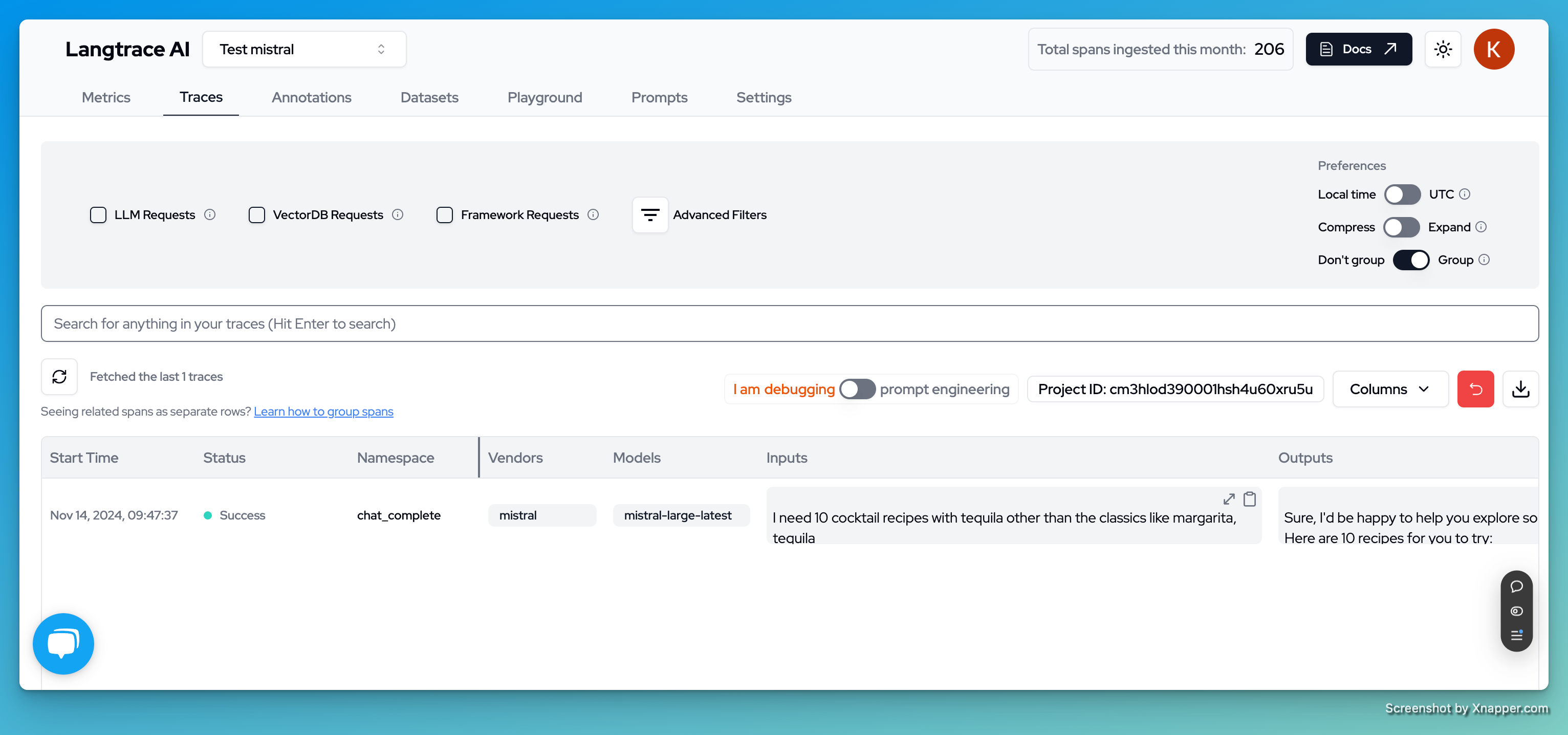
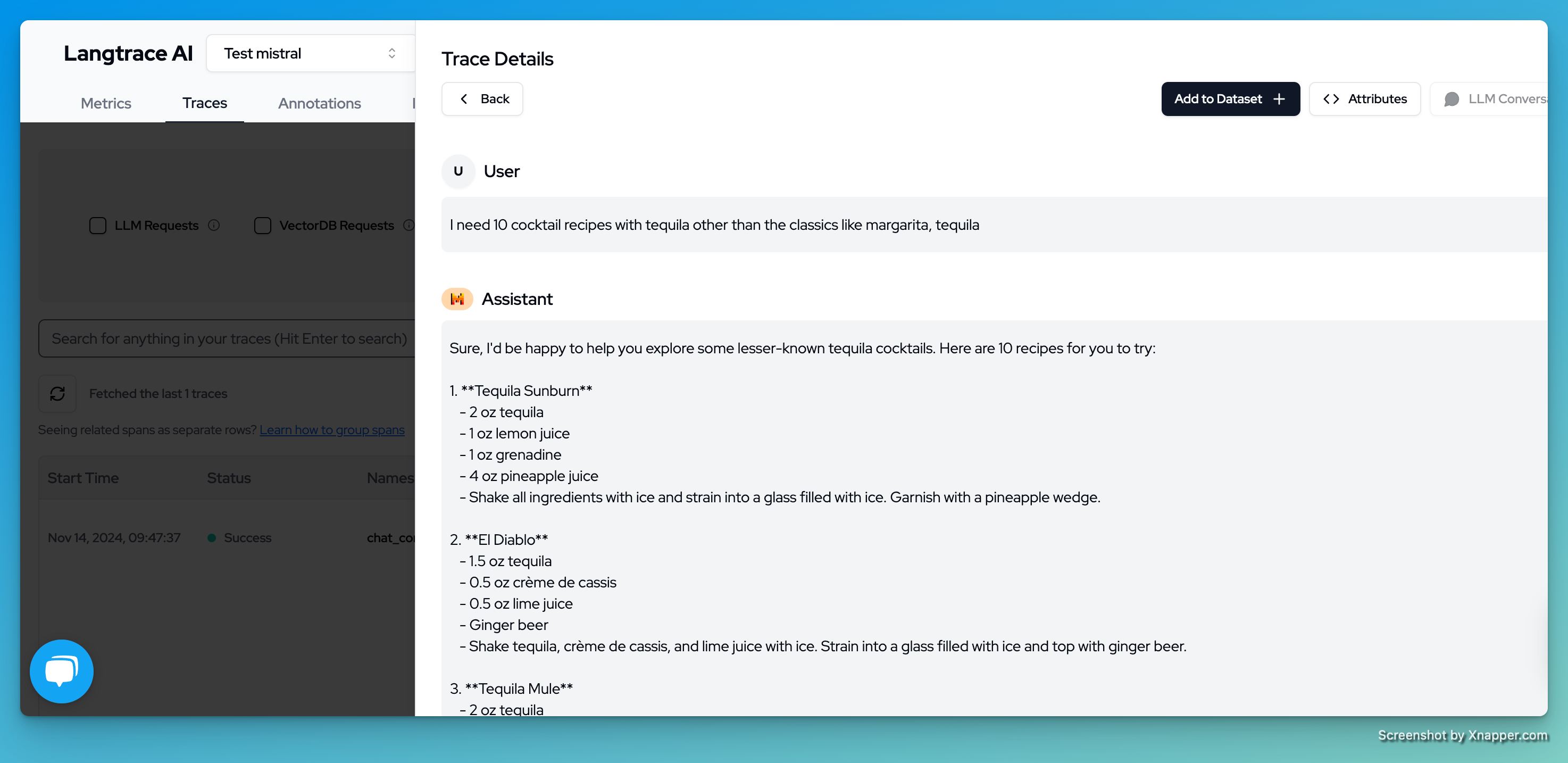
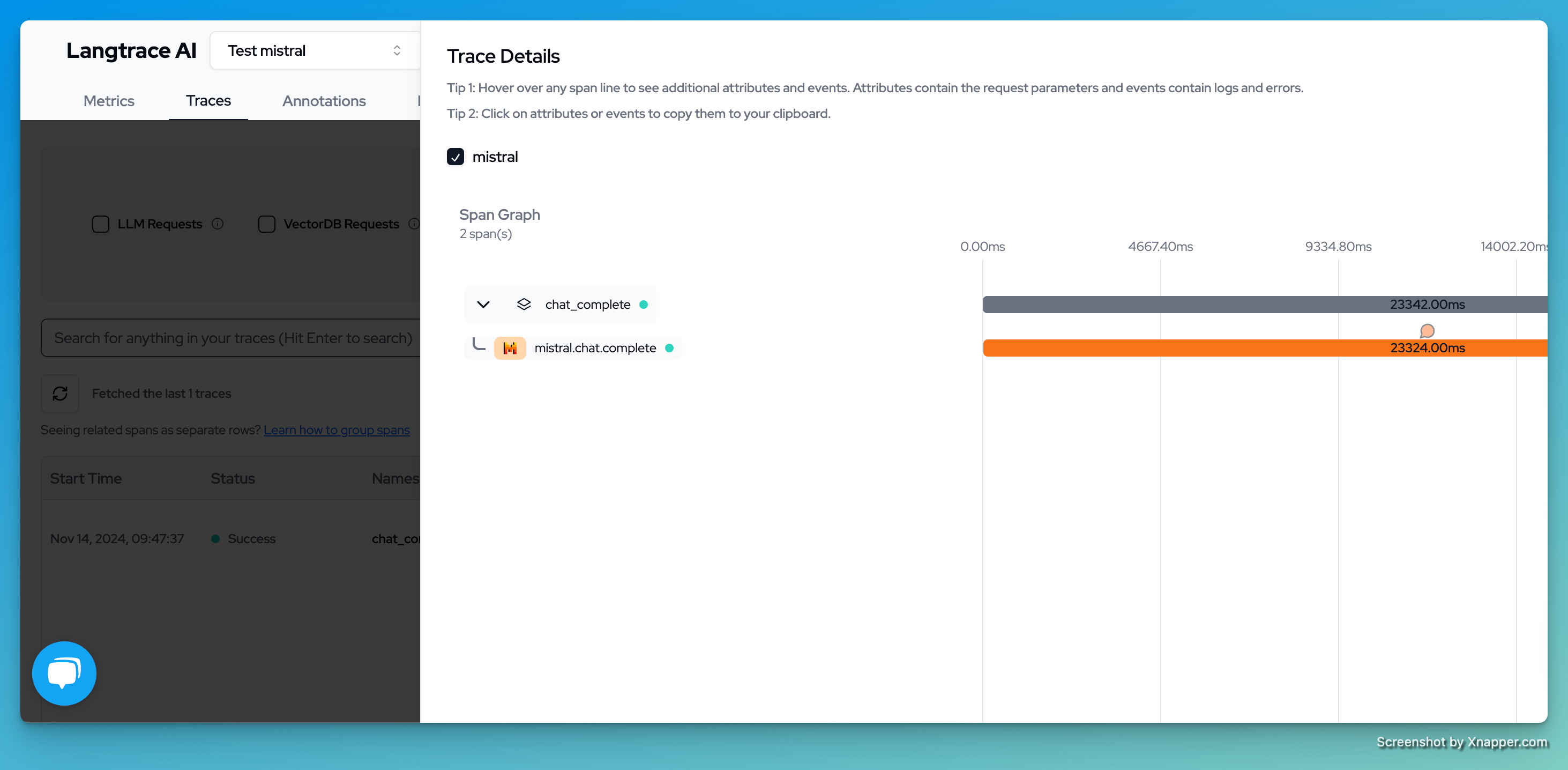
You can now view and analyze your traces on the Langtrace dashboard. Here's what you can expect:
1. View all your Mistral AI traces in the main traces view:
 2. Dive deep into conversation details and responses:
 3. Analyze span timing and relationships in the trace visualization:
 Want to see more supported methods? Check out the sample code in the [Langtrace Mistral Python Example](https://github.com/Scale3-Labs/langtrace-python-sdk/tree/main/src/examples/mistral_example) repository.
For advanced usage patterns and detailed examples, explore the [Langtrace Mistral Cookbook](https://github.com/mistralai/cookbook/blob/main/third_party/Langtrace/langtrace_mistral.ipynb) in the official Mistral AI cookbook repository.
Want to see more supported methods? Check out the sample code in the [Langtrace Mistral Python Example](https://github.com/Scale3-Labs/langtrace-python-sdk/tree/main/src/examples/mistral_example) repository.
For advanced usage patterns and detailed examples, explore the [Langtrace Mistral Cookbook](https://github.com/mistralai/cookbook/blob/main/third_party/Langtrace/langtrace_mistral.ipynb) in the official Mistral AI cookbook repository.