> ## Documentation Index
> Fetch the complete documentation index at: https://docs.langtrace.ai/llms.txt
> Use this file to discover all available pages before exploring further.
# OpenAI
> OpenAI is a leading artificial intelligence research and deployment company committed to ensuring that artificial general intelligence(AGI) benefits all of humanity. It develops cutting-edge AI models, such as GPT-4, to assist in various applications, from natural language processing to complex problem-solving. OpenAI focuses on safety, scalability, and ethical considerations in AI advancements.
Using Langtrace to monitor your OPENAI LLM apps is quick and easy. Follow these steps:
## Setup
1. Install the Langtrace and OpenAI SDKs.
*Note: You'll need API keys from Langtrace and OpenAI. Sign up for [Langtrace](https://langtrace.ai) and/or [OpenAI](https://openai.com/) if you haven't done so already.*
```bash Python theme={null}
# Install the SDK
pip install -U langtrace-python-sdk openai
```
2. Setup environment variables:
```bash Shell theme={null}
export LANGTRACE_API_KEY=YOUR_LANGTRACE_API_KEY
export OPENAI_API_KEY=YOUR_OPEN_AI_API_KEY
```
## Usage
Generate a simple output with your deployment's model:
```python Python theme={null}
import os
from langtrace_python_sdk import langtrace # Must precede any llm module imports
from openai import OpenAI
langtrace.init(api_key = os.environ['LANGTRACE_API_KEY'])
client = OpenAI(
# This is the default and can be omitted
api_key=os.environ.get("OPENAI_API_KEY"),
)
# Generate a simple output with OPEN AI'S GPT 3.5 MODEL
chat_completion = client.chat.completions.create(
messages=[
{
"role": "user",
"content": "What is LangChain?",
}
],
model="gpt-3.5-turbo",
)
print(chat_completion.choices[0].message.content)
# Lets also create some embeddings
response = client.embeddings.create(
input="Your text string goes here",
model="text-embedding-3-small"
)
print(response.data[0].embedding)
```
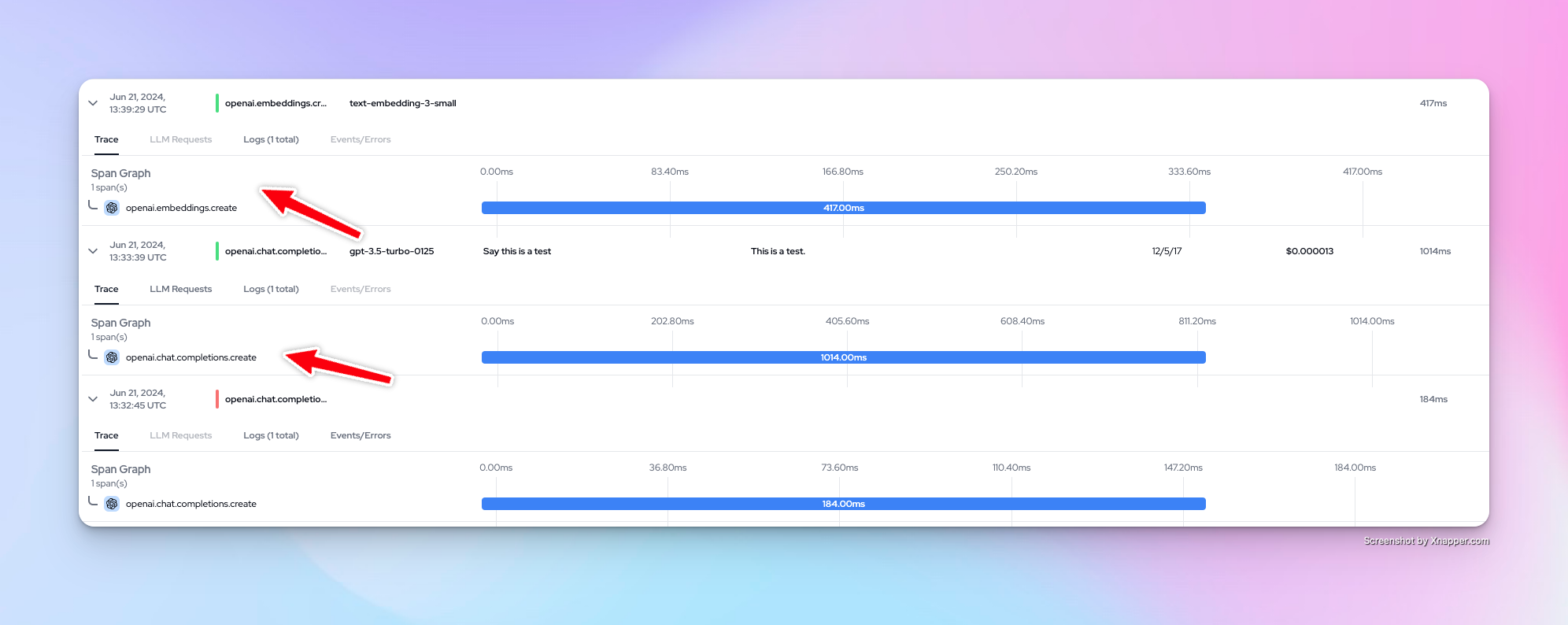
You can now view your traces on the Langtrace dashboard.
 Want to see more supported methods? Checkout the sample code in the [Langtrace OpenAI Python Example](https://github.com/Scale3-Labs/langtrace-recipes/blob/main/integrations/language-model/openai/starter.ipynb) repository.