> ## Documentation Index
> Fetch the complete documentation index at: https://docs.langtrace.ai/llms.txt
> Use this file to discover all available pages before exploring further.
# Neo4j
> Learn how to use Langtrace with Neo4j for tracing graph database operations
Neo4j is a leading graph database platform that enables organizations to build intelligent applications that extract business value from connections in their data. Langtrace's Neo4j integration lets you monitor and trace all your Neo4j database operations, including cypher queries, transaction processing, and GraphRAG operations.
## Setup
1. Install the Langtrace's SDK and [initialize](/quickstart) the SDK in your code.
```bash theme={null}
pip install langtrace-python-sdk
```
2. Install the [Neo4j](https://neo4j.com/docs/getting-started/) python driver.
```bash theme={null}
pip install neo4j
```
3. Setup environment variables:
```bash theme={null}
export LANGTRACE_API_KEY=YOUR_LANGTRACE_API_KEY
```
## Usage
Initialize Langtrace before creating your Phidata agent:
```python Python theme={null}
from langtrace_python_sdk import langtrace # Must precede other imports
from langtrace_python_sdk.utils.with_root_span import with_langtrace_root_span
from neo4j import GraphDatabase
# Create a driver instance
driver = GraphDatabase.driver(NEO4J_URI, auth=(NEO4J_USERNAME, NEO4J_PASSWORD))
# Execute a query
records, summary, keys = driver.execute_query(
"MATCH (p:Person {age: $age}) RETURN p.name AS name",
age=42,
database_="neo4j",
)
# Access results
for person in records:
print(person["name"])
# Print summary information
print("The query returned {} records in {} ms.".format(
len(records), summary.result_available_after
))
# Don't forget to close the driver
driver.close()
```
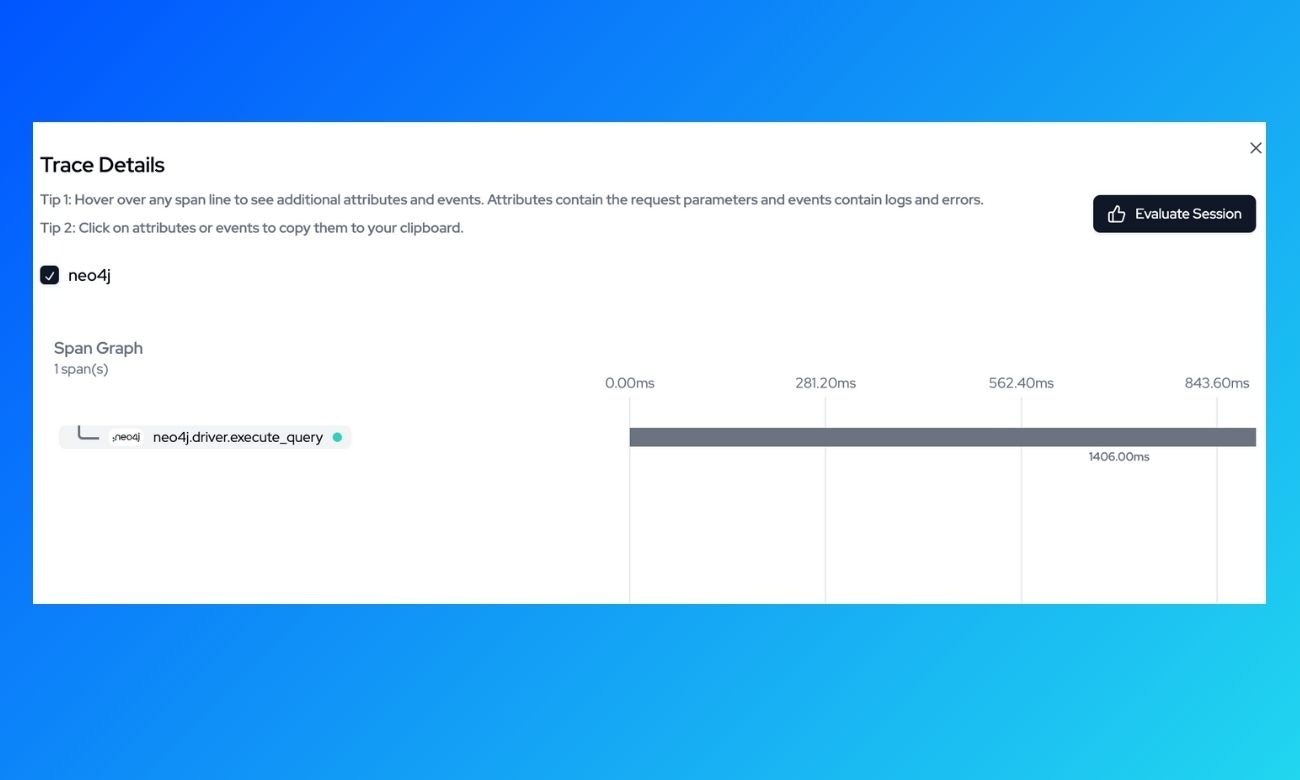
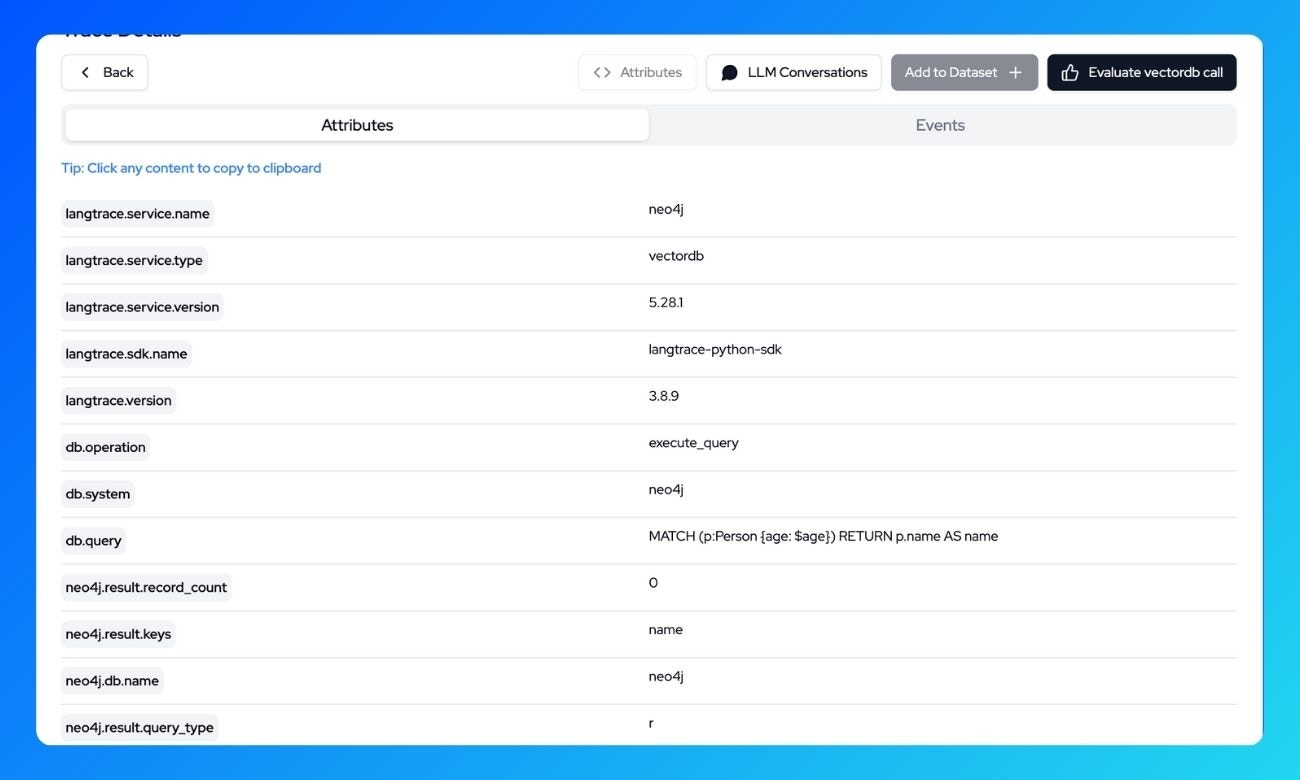
## What's being traced?
With Langtrace, the following operations are automatically traced:
**Query Execution**
* Query text and parameters
* Execution time and timestamps
* Query result, counts and metadata
* Database and routing information
View all these trace details in the Langtrace dashboard:
 ## Resources
* [Getting started with Langtrace](/introduction)
* [Neo4j Documentation](https://neo4j.com/docs/)
* [Join our Discord Community](https://discord.langtrace.ai/)
## Resources
* [Getting started with Langtrace](/introduction)
* [Neo4j Documentation](https://neo4j.com/docs/)
* [Join our Discord Community](https://discord.langtrace.ai/)