> ## Documentation Index
> Fetch the complete documentation index at: https://docs.langtrace.ai/llms.txt
> Use this file to discover all available pages before exploring further.
# Pinecone
> Pinecone is a vector database that enables fast and accurate vector search for building AI applications. It provides the infrastructure for the long-term memory and retrieval needed to develop state-of-the-art AI systems.
## Setup
1. Install Langtrace's SDK and [initialize](/quickstart) the SDK in your code.
*Note: You'll need API keys from Langtrace and Pinecone. Sign up for [Langtrace](https://langtrace.ai) and/or [Pinecone](https://www.pinecone.io/) if you haven't done so already.*
```bash Python theme={null}
# Install the SDK
pip install -U langtrace-python-sdk pinecone
```
```bash Typescript theme={null}
npm install @pinecone-database/pinecone-client
```
2. Setup environment variables:
```bash Shell theme={null}
export LANGTRACE_API_KEY=YOUR_LANGTRACE_API_KEY
export PINECONE_API_KEY=YOUR_PINECONE_API_KEY
```
## Usage
Generate a simple output with your deployment's model:
```python Python theme={null}
import os
from langtrace_python_sdk import langtrace # Must precede any llm module imports
langtrace.init(api_key = os.environ['LANGTRACE_API_KEY'])
from pinecone import Pinecone, ServerlessSpec
pc = Pinecone(api_key=os.environ['PINECONE_API_KEY'])
# Create an Index and upsert some data in Pinecone:
pc.create_index(
name="index",
dimension=8, # Replace with your model dimensions
metric="euclidean", # Replace with your model metric
spec=ServerlessSpec(
cloud="aws",
region="us-east-1"
)
)
index = pc.Index("index")
index.upsert(
vectors=[
{"id": "A", "values": [0.1, 0.1, 0.1, 0.1, 0.1, 0.1, 0.1, 0.1]},
{"id": "B", "values": [0.2, 0.2, 0.2, 0.2, 0.2, 0.2, 0.2, 0.2]},
{"id": "C", "values": [0.3, 0.3, 0.3, 0.3, 0.3, 0.3, 0.3, 0.3]},
{"id": "D", "values": [0.4, 0.4, 0.4, 0.4, 0.4, 0.4, 0.4, 0.4]}
]
)
```
```javascript Typescript theme={null}
import { init as langtraceInit } from 'langtrase/typescript-sdk';
import { PineconeClient, ServerlessSpec } from '@pinecone-database/pinecone-client';
langtraceInit({
apiKey: langtraceApiKey,
});
// Step 3: Initialize Pinecone client
const pinecone = new PineconeClient({
apiKey: pineconeApiKey,
});
// Step 4: Create an Index and upsert some data in Pinecone
(async () => {
await pinecone.createIndex({
name: "index",
dimension: 8, // Replace with your model dimensions
metric: "euclidean", // Replace with your model metric
spec: new ServerlessSpec({
cloud: "aws",
region: "us-east-1",
}),
});
const index = pinecone.Index("index");
await index.upsert({
vectors: [
{ id: "A", values: [0.1, 0.1, 0.1, 0.1, 0.1, 0.1, 0.1, 0.1] },
{ id: "B", values: [0.2, 0.2, 0.2, 0.2, 0.2, 0.2, 0.2, 0.2] },
{ id: "C", values: [0.3, 0.3, 0.3, 0.3, 0.3, 0.3, 0.3, 0.3] },
{ id: "D", values: [0.4, 0.4, 0.4, 0.4, 0.4, 0.4, 0.4, 0.4] },
],
});
})();
```
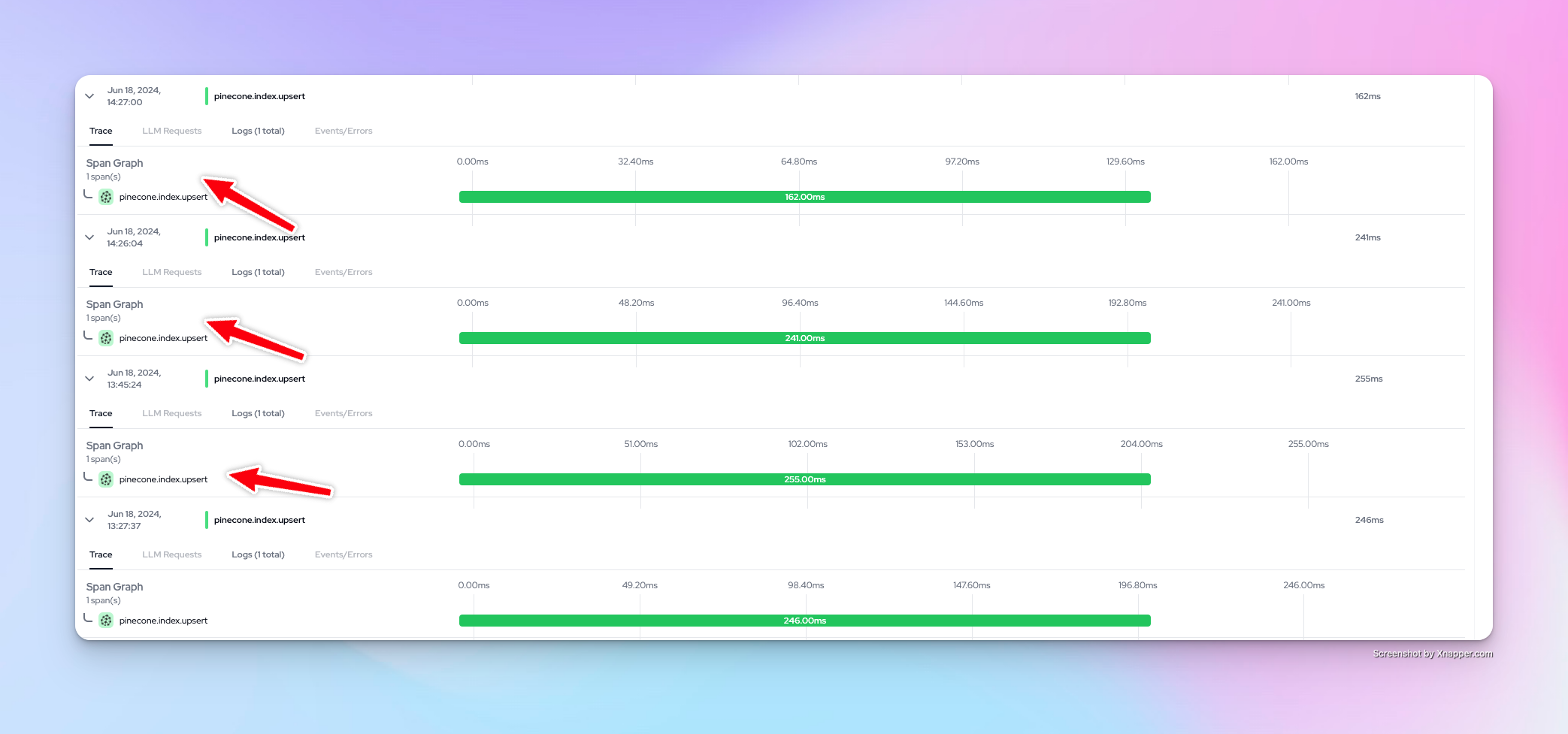
You can now view your traces on the Langtrace dashboard:
 Want to see more supported methods? Checkout the sample code in the [Langtrace Pinecone Python Example](https://github.com/Scale3-Labs/langtrace-recipes/blob/main/integrations/vector-db/pinecone/starter.ipynb) repository.