Documentation Index
Fetch the complete documentation index at: https://docs.langtrace.ai/llms.txt
Use this file to discover all available pages before exploring further.
Using Langtrace to monitor your Claude backed LLM apps is quick and easy. Follow these steps:
Setup
- Install Langtrace’s SDK and initialize the SDK in your code.
Note: You’ll need API keys from Langtrace and Anthropic. Sign up for Langtrace and/or Anthropic if you haven’t done so already.
# Install the SDK
pip install -U langtrace-python-sdk anthropic
- Setup environment variables:
export LANGTRACE_API_KEY=YOUR_LANGTRACE_API_KEY
export ANTHROPIC_API_KEY=YOUR_ANTHROPIC_API_KEY
Usage
Generate a simple output with your deployment’s model:
# Imports import os
import os
from langtrace_python_sdk import langtrace # Must precede any llm module imports
langtrace.init(api_key = os.environ['LANGTRACE_API_KEY'])
from anthropic import Anthropic
client = Anthropic(
# This is the default and can be omitted
api_key=os.environ.get("ANTHROPIC_API_KEY"),
)
# Query Anthropic's claude-3-opus MODEL:
message = client.messages.create(
max_tokens=1024,
messages=[
{
"role": "user",
"content": "Hello, Claude",
}
],
model="claude-3-opus-20240229",
)
print(message)
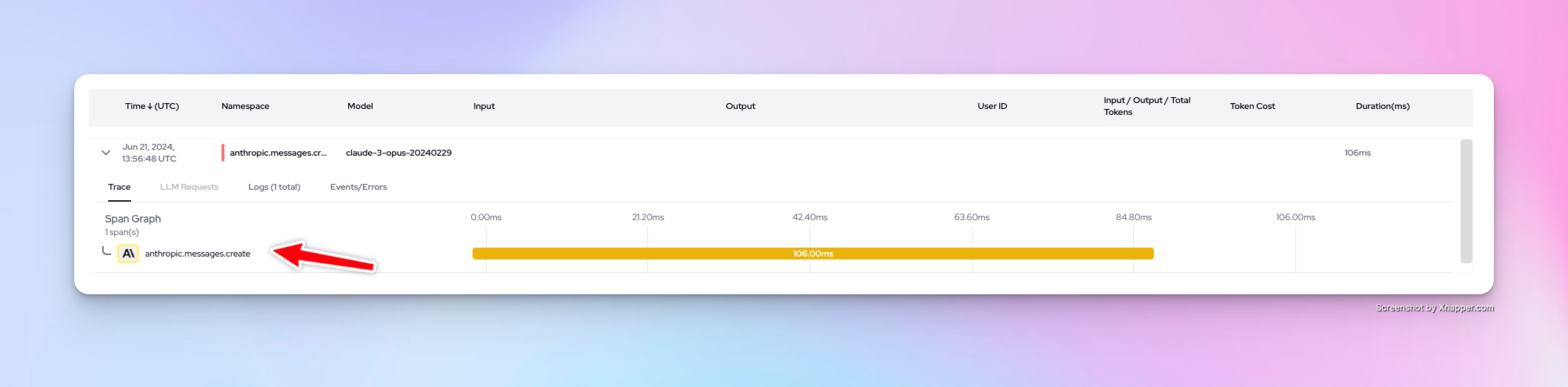
You can now view your traces on the Langtrace dashboard
Want to see more supported methods? Checkout the sample code in the Langtrace Anthropic Python Example repository.